Netcraft counted nearly 1.5 billion websites across the internet in June 2026.
But before anyone can visit a website, it has to actually get online.
That means choosing where the site will live, connecting your domain, and getting everything pointed to the right place. The terminology can make the process sound much harder than it is.
Here’s how to host a website in five steps and get your site live.
Key Takeaways
- Check Before You Buy Hosting: Some website platforms already include it.
- Choose Hosting That Fits Your Website: The host needs to support whatever you used to build the site.
- Connect Your Domain: This sends people who type your web address to the right website.
- Get the Site Online: You may publish, install, migrate, or upload it depending on how it was built.
- Test Before You Share It: Make sure the live version actually works before you start sending people there.
Step 1: Choose a Hosting Provider
If you need hosting, choose a provider that works with your website.
You don’t need to compare every technical spec. Start with the things you’ll actually notice:
- Does it support your website software?
- Does the plan include HTTPS or an SSL certificate?
- Are backups included?
- Is there enough storage for your site?
- Can you get support if something breaks?
- Does the dashboard look manageable?
If you’re using software such as WordPress, check its current hosting requirements before signing up.
Step 2: Set Up the Hosting Account
Once you buy a plan, the host will usually walk you through creating the website inside your account.
You might choose a domain, install your website software, create a blank site, or start a migration from another host. You’ll also get a dashboard or control panel where you can manage the site.
If your domain doesn’t show the website yet, that’s normal. You’ve created the place where the site will run. Now you need to connect the address people will use to reach it.
Step 3: Connect Your Domain
Your domain is the address people type to reach your website. Your hosting account is where the website is running.
Those two pieces need to be connected.
You usually do that through DNS settings. Your host may ask you to update your nameservers or change specific DNS records.
Cloudflare describes DNS records as the information that makes resources on your domain available to visitors. In practical terms, they help send someone who types your domain to the right website.
If your domain and hosting came from the same company, this may already be configured. If not, you’ll usually make the change wherever your domain’s DNS is managed.
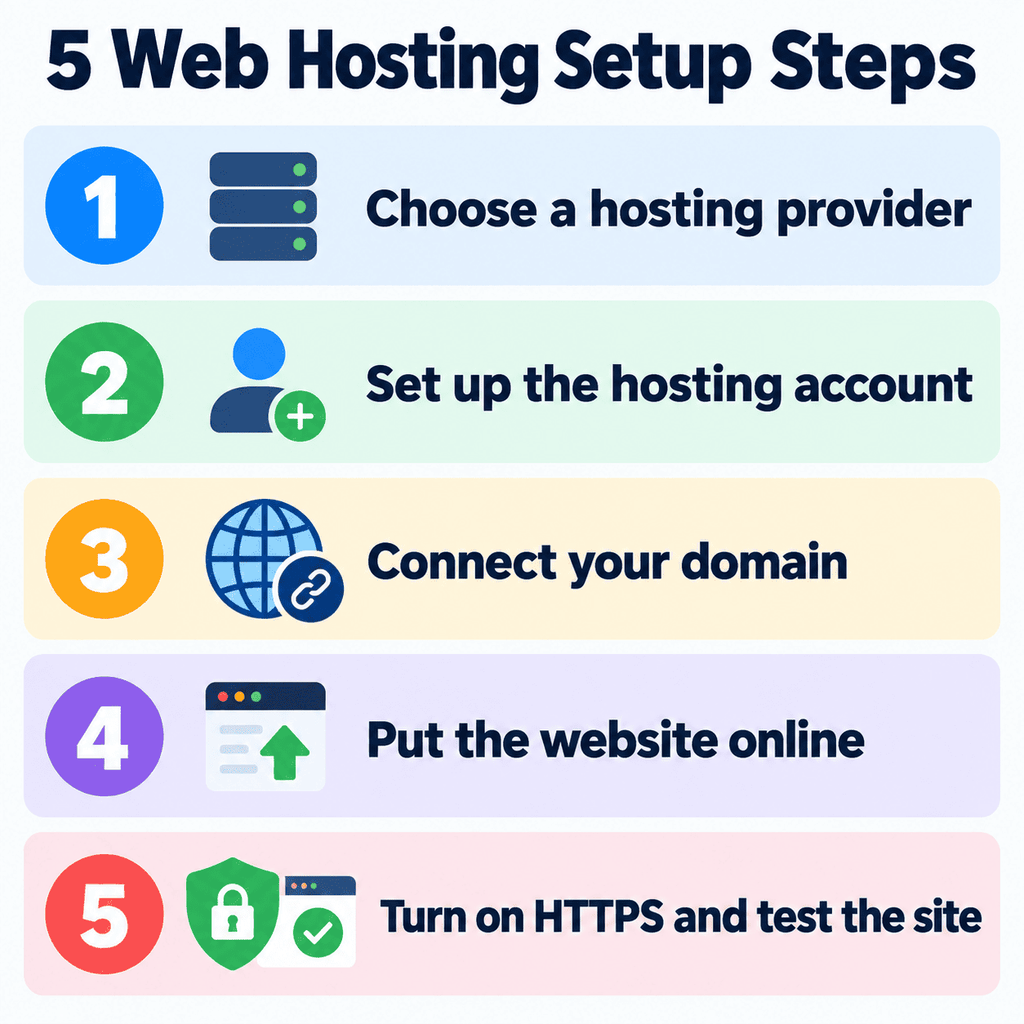
Step 4: Put the Website Online
Now you need to get the actual website onto the hosting account.
How you do that depends on what you built it with.
| If You Built Your Site With… | How It Usually Gets Online |
|---|---|
| A hosted website builder | Publish from the builder |
| WordPress.org or another CMS | Install the CMS, then build or migrate the site |
| HTML, CSS, and JavaScript files | Upload or deploy the files |
If you’re moving an existing site, your host may offer a migration tool or migration service. If you built the site yourself, you may upload or deploy the files directly.
Once the site is published and the domain points to the right place, people should be able to reach it.
Step 5: Turn On HTTPS and Test the Site
Before you send people there, open the site as a visitor would.
Make sure it loads with HTTPS, then check that:
- Your main pages open
- Images display correctly
- Navigation links work
- Forms submit
- The site looks right on a phone
- Nothing obvious is broken or missing
Try it in a private browser window too. That helps you see what a first-time visitor sees instead of a version affected by your saved login or browser cache.
What Happens After the Site Goes Live?
Once the site is online, hosting mostly fades into the background.
You’ll still need to renew your hosting and domain, keep your website software updated, make sure backups are working, and upgrade the plan if the site eventually needs more resources.
You can also move the website to another host later. You aren’t permanently tied to the first company you choose.
Final Verdict
Hosting a website sounds technical because there are several moving pieces, but the process itself is pretty straightforward once you know what connects to what.
You choose where the site will run, set up the hosting account, connect your domain, publish the website, and make sure everything works.
Once those pieces are in place, your website is no longer just something you built. It’s something people can actually visit.
Want the physical picture first? How web hosting works shows what the server does after the site is live.
FAQs
Can I host a website for free?
Yes. Some platforms offer free hosting, although free plans often limit storage, features, traffic, or the domain you can use.
Do I need a domain before I buy hosting?
Usually not. You can often buy hosting first and connect a domain later. Some hosting companies also sell domains during signup.
Can I host a website from my own computer?
Technically, yes, but it’s not the usual choice for a public website. You’d need to keep the computer online and handle the server setup, security, and maintenance yourself.
How long does it take for a website to go live?
The site may publish quickly, but DNS changes can take longer. Cloudflare says nameserver changes can take from a few minutes to 48 hours to propagate globally.
Can I change hosting companies later?
Yes. Websites can be migrated to another host. The exact process depends on how your site was built and whether the new host offers migration help.

![Hosting.com Coupon Discounts [Verified October 2026 ]](https://www.miamiherald.com/careers-education/wp-content/uploads/sites/2/2026/10/hosting-com-promo-code-mh-1024x768.jpg)

![Bluehost Promo Codes and Discounts [Verified Coupons]](https://www.miamiherald.com/careers-education/wp-content/uploads/sites/2/2026/10/bluehost-promo-code-mh-1024x768.jpg)
![Incogni Promo Codes [Verified Discounts]](https://www.miamiherald.com/careers-education/wp-content/uploads/sites/2/2026/10/incogni-promo-code-mh-1024x768.jpg)
![Shopify Promo Codes [Verified Discounts]](https://www.miamiherald.com/careers-education/wp-content/uploads/sites/2/2026/10/shopify-promo-code-mh-1024x768.jpg)