The dropshipping industry is valued at $543.53 billion in 2026, and a lot of aspiring entrepreneurs want a piece of the pie.
Luckily, platforms like Shopify have made it easier than ever to start your own dropshipping business.
That said, the learning curve isn’t always straightforward.
There are a few different ways to set it up, and the right process depends on how you’re sourcing your products.
The steps below cover supplier setup, product and pricing strategy, and how to put the store together.
Key Takeaways
- Choose Your Supplier Setup: Shopify supports Collective, dropshipping apps, and direct supplier relationships.
- Products Can Sync With Shopify: Some setups can import products and keep inventory updated automatically.
- You Control the Storefront: You decide what to publish, how products appear, and what customers pay.
- Orders Can Flow to Suppliers: Depending on your setup, fulfillment orders may be forwarded automatically.
- You Still Run the Store: Your supplier can handle fulfillment, but customer service and the overall shopping experience are still your responsibility.
1. Choose How You’ll Dropship Through Shopify
The first decision:
How will your Shopify store connect to the company that holds and ships your products?
Shopify supports three main approaches.
Shopify Collective
Shopify Collective connects eligible Shopify retailers with suppliers that also use Shopify.
You can connect with suppliers, import their products into your store, and sell those products without buying the inventory first. When a customer places an order, the supplier fulfills and ships it.
Because both businesses use Shopify, product information, inventory, orders, and fulfillment details can move between the two stores more easily.
A Dropshipping App
You can also install a third-party dropshipping app from the Shopify App Store.
These apps connect your Shopify store with outside suppliers. Depending on the app, you may be able to:
Browse products
Import listings
Sync inventory
Send orders to suppliers
Bring tracking information back into Shopify
The exact process varies by app, so check how much is automated before choosing one.
A Direct Supplier
You can also work directly with a manufacturer, wholesaler, or other supplier.
Shopify still runs your storefront and collects customer orders, but the connection with the supplier may be more manual unless they offer an integration.
This can work well if you already have a supplier you trust or want more control over the relationship.
2. Connect Your Supplier and Add Products
Once you’ve chosen your supplier setup, it’s time to move your products into Shopify.
With Shopify Collective, you can connect with suppliers and import available products directly into your store. Some products may be immediately available, while others require you to connect with the supplier or request pricing first.
Dropshipping apps work similarly. You choose products inside the app and import the ones you want to sell. The amount of automation in the dropshipping industry is definitely one of the perks.
If you’re working directly with a supplier, you may need to create the Shopify listings yourself or use whatever system the supplier provides.
That said, as strong as the urge can be? Don’t treat a supplier catalog like a shopping spree.
A store with 30 products that make sense together is much, much stronger than one with 3,000 unrelated items that were haphazardly thrown into a storefront with no branding, no personality, and no target audience.
It really isn’t about knowing what you want to sell.
It’s about knowing who you want to sell to. Then, and only then, will you be able to figure out:
- What they want to buy, and
- How to connect with them to make the sale.
3. Set Up the Products for Your Store
We’re getting to the fun part now: setting up your shop.
Depending on your supplier setup, Shopify may pull in the title, description, photos, variants, inventory, and other details. You can then prepare the listing for your own storefront.
And keep in mind, you really don’t want to keep everything the same as what Shopify fills in for you. You’ll want a description that matches your brand voice, images that reflect your color palette and vibe, and titles that reflect the shop’s personality, all while paying serious attention to SEO.
Review:
Product titles
Descriptions
Photos and videos
Variants
Inventory
Retail prices
Shipping expectations
Return information
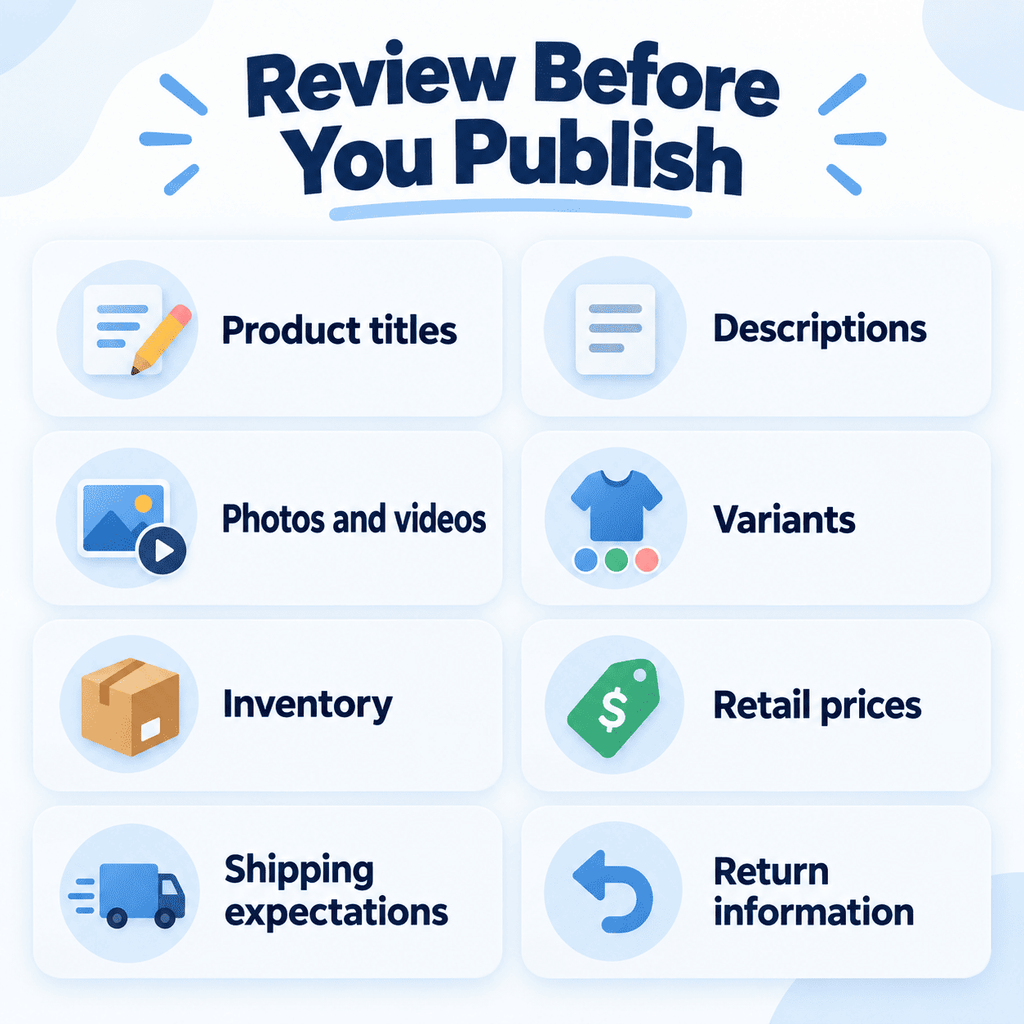
With Shopify Collective, retailers can edit details such as titles, descriptions, media, and retail prices while supplier-controlled inventory remains synced, no extra work for you.
That said, you definitely want to work on your pricing strategy here and dig deep into the numbers.
If a supplier charges you $20 and you sell the product for $40, that doesn’t mean you’re pocketing $20.
You may still need to cover payment processing, Shopify costs, apps, discounts, returns, advertising, creator commissions, or shipping expenses.
And do not make the mistake of forgetting about taxes! Because yes, Shopify and payment providers typically handle the sales tax for you, but remember: sole proprietors have to pay self-employment tax. You’ll want to work that ~15% into your strategy, too.
Basically, what I’m trying to say is:
Make sure there’s enough room between your supplier cost and retail price for the business to be profitable.
(If you want to learn more, Profit First by Mike Michalowicz is a great book about this subject!)
4. Set Up Payments, Shipping, and Returns
Before customers can place real orders, you’ll need to set up checkout and delivery in your shop.
Start with your payment provider so customers can pay through the store. Shopify Payments tends to be the best for most stores, but adding options like PayPal, Square, and Stripe can make your shop more accessible for customers who trust those “big names” (and often already have an account).
Then look closely at shipping.
Your Shopify settings should reflect what the supplier can realistically provide. If the supplier usually takes a week to deliver an order, you want to share that.
I don’t know about you, but I’d rather wait a week for shipping and know that’s how long I’m going to wait than buy something that advertises 2-day shipping, and doesn’t deliver.
Remember: trust is everything in ecommerce.
Shopify Collective can automatically handle some shipping information between retailers and suppliers, too, so keep that in mind. Collective products can use dedicated shipping profiles, and supplier shipping rates can be reflected at checkout.
Third-party apps and direct suppliers may work differently, so check:
- Where the supplier ships
- How much shipping costs
- Typical delivery times
- Whether tracking is provided
- How shipping information gets back into Shopify
Do the same for returns, too.
And, before you make a single sale, you’ll want to know things like where a returned product goes, who provides the label, who pays return shipping, and what happens when an item arrives damaged.
Your store policy needs to match what your supplier can actually support. Shopify can help you set yours up with built-in templates you can customize right in the dashboard.
5. Test the Shopify-to-Supplier Flow
The last thing you want to happen is to have a customer excitedly try to order your product, and have the setup fall through before you can make the sale. To prevent it, you’ll want to run through the entire buying process before sending customers to the store.
Place a test order if your setup allows it.
Test drive your:
Follow the order as far through the process as you can.
It’s much easier to fix a broken shipping rule or missing supplier connection before a customer has paid you.
What Happens When a Customer Places an Order?
Now, you know what you have to do. Once the store is connected properly, the basic dropshipping order flow is pretty simple, and it repeats the same every single time.
With Shopify Collective, both the retailer and supplier receive the relevant order information in Shopify. The supplier fulfills the order, and fulfillment and tracking information can sync back to the retailer’s store.
The customer still sees your business as the seller.
| You / Your Shopify Store | Dropshipping Supplier |
|---|---|
| Choose what to sell | Holds the inventory |
| Build the storefront | Stores the products |
| Set retail prices | Provides the supplier cost |
| Collect customer orders | Receives fulfillment information |
| Communicate with customers | Packs the products |
| Handle the customer relationship | Ships the orders |
If an order is late, damaged, or incorrect, your customer is going to contact you.
That’s an important part of the model to understand before launching. Dropshipping removes the need to physically store and ship the inventory yourself. It doesn’t remove your responsibility for what happens after someone buys from your store.
Bottom Line
Once the supplier connection is set up, Shopify can handle some of the most crucial pieces of a successful online business in one place: products, checkout, orders, customer information, and fulfillment updates.
The supplier handles the physical inventory and shipping. You handle the store customers actually see and buy from.
So, use Shopify for what it’s good at: making the operation easier. Then, put your energy into the part that actually makes the business work: knowing who you’re selling to and giving them a reason to buy from you.
That’s where the magic happens.
FAQs
Do you need a dropshipping app to use Shopify?
No. You can use a dropshipping app, Shopify Collective, or work directly with a supplier.
Does Shopify automatically send orders to your supplier?
It can, depending on your setup. Shopify Collective and many dropshipping apps can send fulfillment information to suppliers automatically.
Can you set your own prices when dropshipping on Shopify?
Yes. You generally control the retail price customers see in your Shopify store, even when the supplier provides the product.
How does a dropshipping supplier get paid?
That depends on the supplier setup. Some systems handle supplier payments through Shopify, while third-party apps and independent suppliers may use their own payment process.
Who handles returns and refunds on a Shopify dropshipping order?
You usually handle the customer-facing side. Your supplier may receive the returned product or help resolve fulfillment problems based on your agreement.

![Hosting.com Coupon Discounts [Verified October 2026 ]](https://www.miamiherald.com/careers-education/wp-content/uploads/sites/2/2026/10/hosting-com-promo-code-mh-1024x768.jpg)

![Bluehost Promo Codes and Discounts [Verified Coupons]](https://www.miamiherald.com/careers-education/wp-content/uploads/sites/2/2026/10/bluehost-promo-code-mh-1024x768.jpg)
![Incogni Promo Codes [Verified Discounts]](https://www.miamiherald.com/careers-education/wp-content/uploads/sites/2/2026/10/incogni-promo-code-mh-1024x768.jpg)
![Shopify Promo Codes [Verified Discounts]](https://www.miamiherald.com/careers-education/wp-content/uploads/sites/2/2026/10/shopify-promo-code-mh-1024x768.jpg)