Moving a domain to a new registrar doesn’t have to mean waiting around for days without knowing what’s happening. For generic top-level domains (gTLDs) covered by ICANN’s Transfer Policy, a registrar-to-registrar transfer generally takes up to five calendar days once the transfer request reaches the registry.
But that five-day window may not always be the reason you’re waiting. A locked domain, missing authorization code, or required confirmation can hold things up before the transfer even reaches that stage. And if you’re changing DNS records, that’s a separate timeline.
Key Takeaways
- Domain transfer time: A registrar-to-registrar transfer generally takes up to five calendar days once the request reaches the registry.
- Domain transfer process: The transfer involves your current registrar, the new registrar, and the required authorization.
- Pending transfers: A transfer can stay pending while the registrars complete the required steps.
- Authorization codes: A domain transfer authorization code helps verify that you’re allowed to move the domain.
- DNS updates: DNS changes have their own timeline and aren’t automatically required when you change registrars.
How Long Does a Domain Transfer Take?
For a typical registrar-to-registrar transfer, the transfer usually takes up to five calendar days once the transfer request reaches the registry. It can finish sooner if you complete the necessary steps promptly.
That five-day window is part of ICANN’s transfer process for generic top-level domains, such as .com and .net. Under the current policy, the registry completes the transfer unless the current registrar denies the request within the applicable five-day period.
The transfer request may also take time to reach the registry, especially if you still need to unlock the domain, obtain an authorization code, or complete a required approval.
When I looked into the process, one distinction stood out: the official transfer window is pretty straightforward, but there’s several steps that go into the process. That’s why two people can start what sounds like the same transfer and have slightly different experiences.
What Is the Domain Transfer Process?
The domain transfer process is the procedure for moving a domain from one registrar to another.
For example, you might have a domain registered with one company but decide you’d rather manage it through another. You aren’t changing the domain name itself. You’re changing the registrar that manages the registration.
The basic process usually looks like this:
Check that the domain is eligible for transfer.
Unlock the domain if a registrar or transfer lock is enabled.
Get your domain transfer authorization code.
Start the transfer with the new registrar.
Complete any required authorization or confirmation.
Wait for the transfer to finish.
ICANN’s current Transfer Policy requires registrars to follow standardized procedures, although the exact steps and account screens can vary by company.
One important point: transferring your domain isn’t the same thing as moving your website. Your registrar and web host can be different services. You generally don’t need to move your website just because you’re changing registrars.
Why Is My Domain Transfer Pending?
A pending domain transfer status doesn’t necessarily mean something is wrong.
A transfer can remain pending while the registrars and registry work through the required steps. Under ICANN’s current policy, the registrar of record must notify the registered name holder about the pending transfer, and a transfer can proceed by default if the registrar doesn’t respond within the five-calendar-day period.
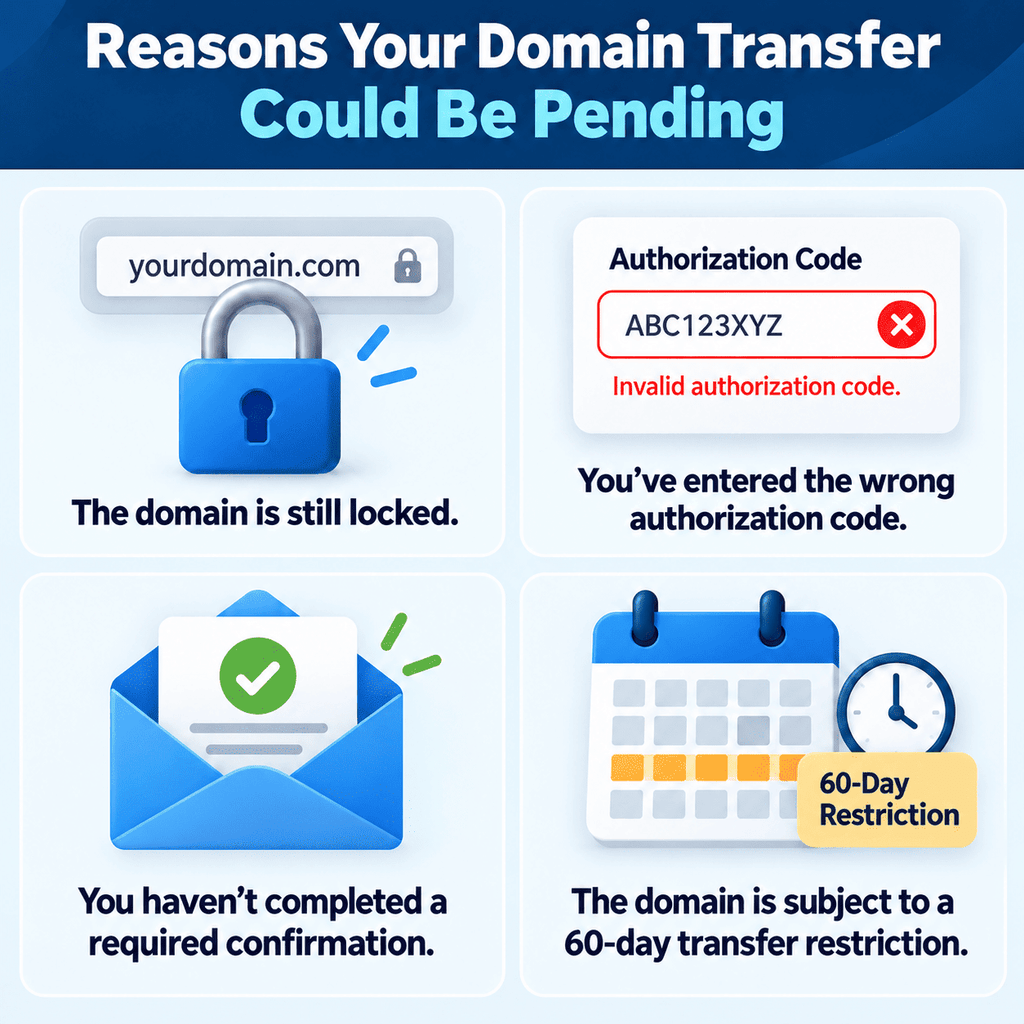
If your domain transfer status says pending, check whether you’ve received an email or notification asking you to approve, confirm, or cancel the transfer.
It’s also worth checking whether:
The domain is still locked.
You’ve entered the correct authorization code.
You’ve completed a required confirmation.
The domain is subject to a 60-day transfer restriction.
If everything looks correct, the transfer may still be processing.
What Is a Domain Transfer Authorization Code?
A domain transfer authorization code is a code your registrar provides to help verify that you’re authorized to transfer the domain.
You may also see it called an Auth-Code, AuthInfo Code, EPP code, or transfer code. ICANN requires an Auth-Code for transfers of gTLDs covered by its Transfer Policy.
Depending on your registrar, you may be able to generate the code yourself through your account. If not, you can request it from the registrar.
For gTLDs covered by ICANN’s policy, the registrar must provide the Auth-Code within five calendar days of your request if it doesn’t provide a way for you to generate it yourself.
If your transfer hasn’t started, make sure you have the current code and have entered it correctly.
What Can Delay a Domain Transfer?
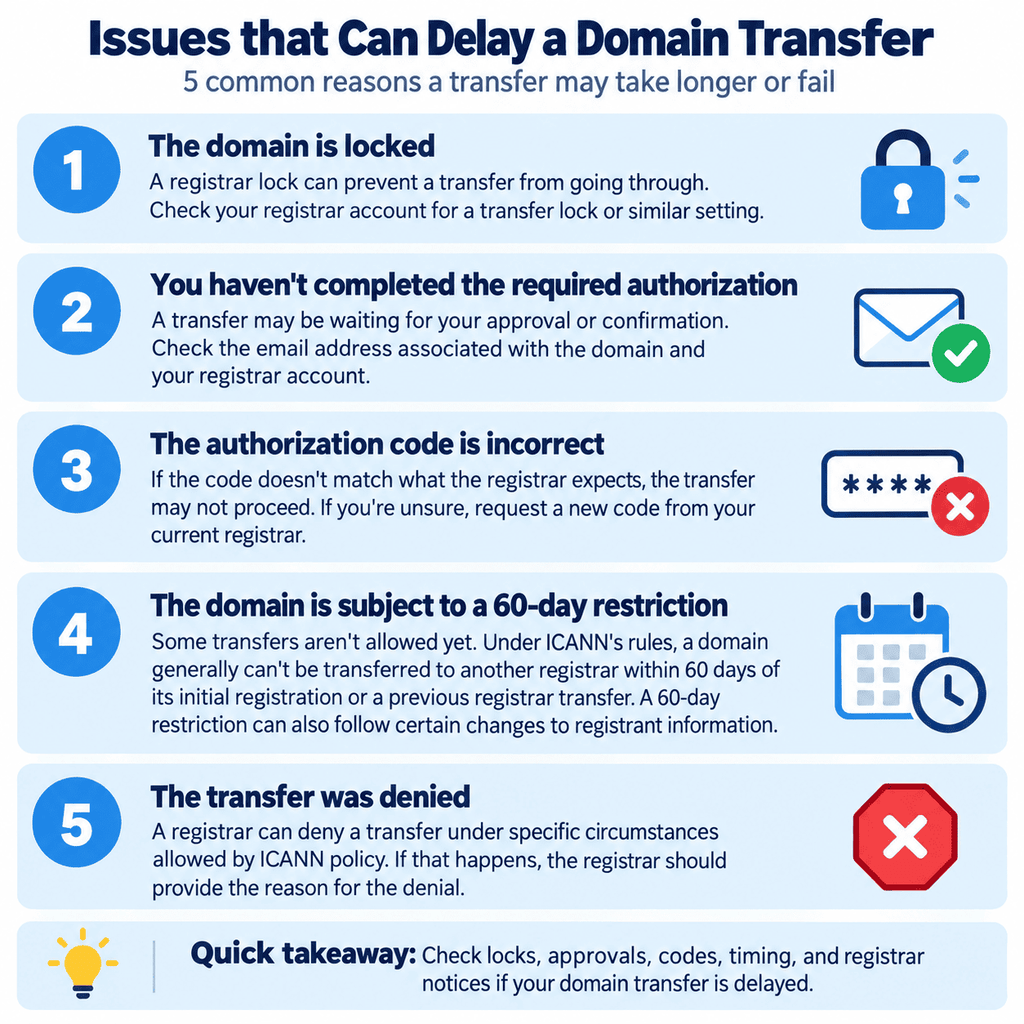
A few common issues can slow down the domain transfer process:
The domain is locked.
A registrar lock can prevent a transfer from going through. Check your registrar account for a transfer lock or similar setting.
You haven’t completed the required authorization.
A transfer may be waiting for your approval or confirmation. Check the email address associated with the domain and your registrar account.
The authorization code is incorrect.
If the code doesn’t match what the registrar expects, the transfer may not proceed. If you’re unsure, request a new code from your current registrar.
The domain is subject to a 60-day restriction.
Some transfers aren’t allowed yet. Under ICANN’s rules, a domain generally can’t be transferred to another registrar within 60 days of its initial registration or a previous registrar transfer. A 60-day restriction can also follow certain changes to registrant information.
The transfer was denied. A registrar can deny a transfer under specific circumstances allowed by ICANN policy. If that happens, the registrar should provide the reason for the denial.
How Do I Check My Domain Transfer Status?
If you’re trying to figure out your domain transfer status, start with the registrar you used to initiate the transfer.
Log in to your account and look for a domain management, transfer, or pending transfer section.
You may see a status such as:
- Pending
- Processing
- Approved
- Completed
The exact wording varies by registrar.
Also check your email. A transfer may require an action from you before it can move forward.
If the status hasn’t changed and you’re already past the expected transfer window, contact the registrar handling the transfer. The support team can check what is holding it up.
How Long Does It Take for DNS Records to Update?
This is where domain transfers can get confusing. A registrar transfer and a DNS change are not the same thing.
If you move a domain to another registrar but leave its nameservers and DNS records alone, you generally don’t need to wait for your website to “propagate” just because the registrar changed.
But if you also change your DNS records or nameservers, that’s a separate process.
DNS records are cached based on their time to live (TTL), which affects how long changes take to reach users. Cloudflare, for example, says its default DNS changes generally take effect globally within about five minutes, although older cached information can remain longer depending on the previous record’s TTL.
Nameserver changes can take longer. Cloudflare’s current documentation says DNS nameserver changes can take a few minutes to 48 hours, although they are often much faster.
How long DNS records take to update depends on what you’re changing, the TTL, and how DNS resolvers cache the previous information.
Does Transferring a Domain Affect My Website?
Usually, a registrar transfer by itself doesn’t move or take down your website.
Your domain registrar manages the domain registration, while your web host stores your website. You can transfer the domain to a different registrar while keeping the same hosting provider.
The main thing to remember is to avoid changing DNS settings during the transfer unless necessary. If your nameservers and DNS records are already pointing to the right place, leave them alone unless you have a specific reason to change them.
What Should I Do If My Domain Transfer Is Taking Too Long?
If you feel stuck in the transfer process, start with the basics:
Check your domain transfer status with the new registrar.
Look for an email asking you to approve or confirm the transfer.
Make sure the domain isn’t locked.
Check for a 60-day transfer restriction.
Contact the registrar if the transfer has gone beyond the expected timeframe without an explanation.
If the issue involves an authorization code or transfer procedure that the registrar isn’t handling according to ICANN’s requirements, ICANN also provides a transfer complaint process.
Final Thoughts
A domain transfer generally takes up to five calendar days once the transfer request reaches the registry, but the process can take longer if something needs your attention first.
A locked domain, missing authorization, or transfer restriction can hold things up. And if you’re changing DNS records or nameservers, remember that those changes have their own timeline.
Understanding the difference between the domain transfer process and DNS updates can make it easier to figure out what’s happening when a transfer takes longer than expected.
If the delay is DNS, not the registrar move, domain vs hosting separates the name transfer from where the site files live.
FAQs
How long does it take to transfer a domain?
How long it takes to transfer a domain depends on the steps involved, but a standard registrar-to-registrar transfer generally takes up to five calendar days once the transfer request reaches the registry. It may finish sooner if you complete the required authorization promptly.
Why is my domain transfer pending?
Your domain transfer is pending because it hasn’t finished processing yet. Check your email and registrar account for any authorization or confirmation you still need to complete. If you’ve completed everything, the transfer may still be within the normal processing window.
What is a domain transfer authorization code?
A domain transfer authorization code is a code your current registrar provides to verify that you’re authorized to move the domain to another registrar. It’s also called an Auth-Code, AuthInfo Code, EPP code, or transfer code.
How do I transfer a domain?
To transfer a domain, check that it’s eligible, unlock it if necessary, get your domain transfer authorization code, start the transfer with the new registrar, and complete any required authorization. The transfer can then take up to five calendar days once the request reaches the registry.
How long for DNS records to update?
How long DNS records take to update depends on the type of change and the records’ TTL settings. Some changes can take only minutes, while cached information can take longer.

![Hosting.com Coupon Discounts [Verified October 2026 ]](https://www.miamiherald.com/careers-education/wp-content/uploads/sites/2/2026/10/hosting-com-promo-code-mh-1024x768.jpg)

![Bluehost Promo Codes and Discounts [Verified Coupons]](https://www.miamiherald.com/careers-education/wp-content/uploads/sites/2/2026/10/bluehost-promo-code-mh-1024x768.jpg)
![Incogni Promo Codes [Verified Discounts]](https://www.miamiherald.com/careers-education/wp-content/uploads/sites/2/2026/10/incogni-promo-code-mh-1024x768.jpg)
![Shopify Promo Codes [Verified Discounts]](https://www.miamiherald.com/careers-education/wp-content/uploads/sites/2/2026/10/shopify-promo-code-mh-1024x768.jpg)