

The best tablets don’t just play media and let you surf the Internet. In fact, students, working professionals, and artists can all make heavy use of tablets that allow note-taking, so long as they come with an ergonomic and responsive stylus.
Naturally, there are lots of factors that can affect whether one tablet or another is best for your needs or preferences.
For example, you’ll want to ask questions like:
- Should your tablet also double as an e-reader, like the Amazon Kindle Paperwhite? Or do you want to focus more on things like screen size as opposed to reading experience? Many of the best tablets for reading are also great note-takers.
- Do you want your tablet to let you listen to audiobooks, like the Apple iPad Mini, or not while making handwritten notes?
- What kind of operating system do you want the tablet to have? In addition, what kind of Bluetooth connectivity are you looking for in the best note-taking tablets?
- How long should the tablet last on a single charge? Consider whether a given tablet has a long battery life and whether it has compatibility with the right chargers.
- How much internal storage do you need for files, artistic drawings, and more?
Answering these questions, you can find the most versatile tablet for your needs at Best Buy, Amazon, and much more.
Today, let’s break down some of the best tablets for note-taking you can find in 2023 for college students, business owners, and more.
Best for Taking Notes and Viewing Media: SAMSUNG Galaxy Tab S7 FE 12.4” 64GB Wi-Fi Android Tablet

The Samsung Galaxy Tab S7 FE is an excellent choice for those who want to take notes and view their favorite media at the same time. That’s because this powerful Wi-Fi tablet comes with lots of storage space and, more importantly, has a stellar 12.4-inch screen, which brings your favorite media content to life easily.
The S Pen, which comes with the purchase, is excellent for sketching, note-taking, and doing anything else you need due to its responsive design. It feels very close to using a pen on paper, and it magnetically attaches to the tablet itself.
This is also a fairly customizable working tablet, available in many colors. You can essentially use this as a portable PC, thanks to its impressive power, screen resolution, and other excellent elements.
Best for Note-Taking in Multiple Fields: Apple iPad Pro 11-inch

Apple fans will want to check out the Apple iPad Pro 11-Inch. Not only is it a great Apple iPad in general, but it’s also the best tablet for note-taking in multiple fields, all because of the Apple Pencil experience.
The proprietary Apple Pencil experience lets you take notes on multiple apps at once, all powered with the iPadOS. This is intuitive, easy to use, and quite fun, whether you are in college or taking notes for work. The Stage Manager app makes multitasking easy by allowing you to resize or overlap different applications.
Of course, the rest of the tablet is also excellent, with fast Wi-Fi connectivity and an 8-core CPU with an M2 chip. This blazing-fast, high-quality tablet further features a liquid retina display that produces your notes or artwork in true color with low reflectivity. The tablet looks and feels both responsive and stunning.
Best for Premium Power: Microsoft Surface Pro 9

If you’re looking for something with top-tier functionality and lots of power, and you have extra cash to spare, consider the Microsoft Surface Pro 9. This powerful, pricey tablet comes with 16 GB of RAM and 512 GB of storage, which goes well with Windows 11 Platinum.
But this is a stellar note-taking app thanks to the edge-to-edge 13-inch PixelSense touchscreen, which is designed for your fingers and for styluses and pens. The Surface Slim Pen 2 hooks up to a charging port built right into the surface of the tablet, and it responds fluidly and intuitively when you press the tip to the surface.
The Service Pro Signature Keyboard is also available for an additional fee. But whether or not you purchase this, you’ll enjoy the power and performance of this tablet, which comes with 15.5 hours of battery life and Thunderbolt 4 ports, enabling you to use it with other desktop applications and systems.
Best for Affordability: Amazon Fire HD 10

Maybe you’re looking for something more affordable instead. In that case, the Amazon Fire HD 10 is right up your alley, as it’s an affordable note-taking tablet with 32 GB of storage space and several colors available.
Though this Amazon Fire is pretty budget-friendly, this tablet has a bright display that measures 10.1 inches in total. The 1080 P full HD screen produces about 10% more brightness than the Samsung Galaxy Tab A8, plus a long-lasting battery that should work for 12 hours before needing to be recharged.
It’s also a very responsive tablet for viewing media or enjoying your favorite apps, as it has a fast octa-core processor and 3 GB of RAM. Pair this with your favorite note-taking pen (which can be purchased separately), or take advantage of the hands-free Alexa Voice Assistant. No matter how you choose to use this tablet, you’ll find it to be effective and engaging.
Best for Immersive Note-Taking: Apple iPad Air

The Apple iPad Air is another prime choice for iOS fans, but it’s also the best tablet for note-taking in terms of immersion. Like other Apple tablets, this comes with Apple Pencil functionality, so you can write in any text field with the Scribble app. You can also edit and share photos straight from the same screen.
The M1 chip, meanwhile, lets you multitask between different apps and take advantage of an all-day battery. The Apple Pencil can be combined with the Magic Keyboard, which produces a phenomenal typing experience, plus a built-in trackpad. Not only does the Keyboard work to boost your productivity, but it also serves as a protective cover for the tablet.
Add to that the 10.9-inch liquid retina display and wide color functionality, and it’s a phenomenal tablet through and through. Don’t forget the Touch ID built into the top button of this iPad, which will keep your artwork or notes safe from anyone who may try to break into your tablet.
Best for Sketchers and Artists: Wacom Cintiq 16 Drawing Tablet

The Wacom Cintiq 16 Drawing Tablet is perhaps the best tablet overall for artists and sketchers, as it comes with the highly decorated pressure-sensitive Pro Pen 2. This excellent drawing pen can be used to take notes or to ergonomically draw right on the tablet screen with a minimum of effort. There are 8192 levels of pressure sensitivity and tilt response.
This lag-free drawing tablet is a top choice thanks to customizable switches, the LCD display with HD resolution, and relaxed parallax control. When combined with the Pro Pen 2, many artists find that using this tablet feels as natural as scribbling on paper.
On top of that, the tablet works with Windows and Mac operating systems. You can purchase the drawing tablet itself or pick up a variety of additional accessories, like an adjustable stand, a glove, and much more. Or you can pick up a smaller, slimmer pen if you have smaller hands.
Best for Business Professionals: Microsoft Surface Go 3
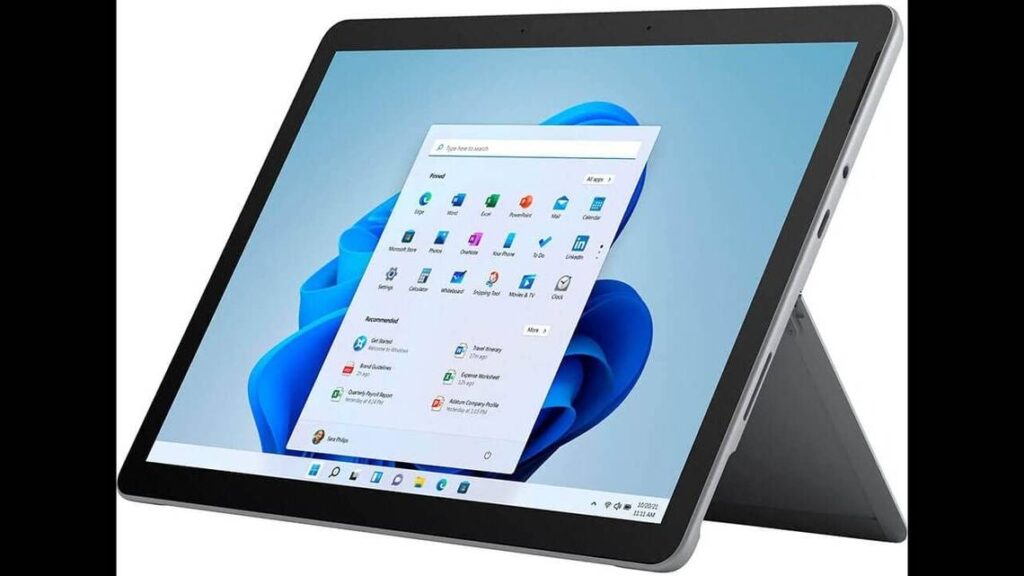
The Microsoft Surface Go 3 is another phenomenal tablet for note-taking, but it’s particularly perfect for business professionals. Not only is it reasonably affordable, but it comes with 4 GB of RAM and 64 GB of storage. It comes with Windows 11 Platinum, so you can enjoy a host of business essential applications and programs right out of the box.
You can take this laptop to boost your productivity anywhere thanks to the Surface Pen and the adjustable kickstand. The Type Cover acts as a keyboard and a tablet protector in equal measure. All the while, the entire tablet only weighs 1.2 pounds.
Feel free to use this laptop-tablet combination device to write, take notes, play, organize PowerPoint presentations, and much more. It’s also a great tablet thanks to its accessory ports, like a USB-C port and headphone jack. Bottom line: this is a top tablet for helping you tackle your business projects or take workplace meeting notes.
Best for Exclusive Note-Taking: reMarkable 1

The reMarkable 1 is a focused and highly advanced device, and it’s best used for those who only want to take notes in black and white. It has a paper-like feel when writing notes, even though it is a digital device. Unlike most other note-taking tablets, writing and sketching on this tablet really feels like using paper and a pen.
Plus, it’s easier on the eyes when you read.
It can replace notebooks and documents, and it has very low latency when writing. It’s all thanks to the proprietary 226 DPI CANVAS display, which is unlike anything else on the market. Of course, the tablet comes with the proprietary Marker plus eight extra Marker tips in case the original wears down over time.
All in all, it’s an adaptable and revolutionary LCD note-taking tablet that is best used for heavy note-takers, writers, and scribblers of all stripes. Consider this if you don’t worry so much about using other applications or viewing media.
Best for Art on the Go: Lenovo Yoga Book

Sometimes, artists have their inspiration away from home or the workshop. If that’s you, you may wish to check out the Lenovo Yoga Book. This popular drawing tablet is great for art and taking notes in equal measure.
It’s powered with 4 GB of RAM and has 64 GB of storage space in its solid-state drive (SSD). This high-performance portable computer also has 15 hours of battery life. More importantly, the included Real Pen stylus lets you instantly digitize notes from classes or any notes that you take what you are out and about.
The tablet can also be used as an artistic drawing board, thanks to the Halo keyboard and drawing tablet surface. When you are done taking notes or scribbling, you’ll appreciate the 10-inch high-definition touchscreen display. It comes with excellent speakers so you can enjoy your favorite media movies or TV shows of choice.
Best for Portable Note-Taking: SAMSUNG Galaxy Tab S6 Lite

Taking notes on the go doesn’t have to be difficult if you check out the Samsung Galaxy Tab S6 Lite. Not only is it available in a few different colors, but it’s also pretty affordable, whether you pick 64 GB or 128 GB of storage space.
Regardless, it comes with an included S Pen, so it’s great for note-taking right out of the box. The magnetic attachment point keeps the pen stuck to the tablet so you never lose it, and it’s always ready when you need it.
The long-lasting battery lasts for 13 hours, and the tablet overall is designed with a slim metal profile, making it very easy to slip into a book bag, backpack, or any other carrying solution. This Galaxy tablet can connect to many other wireless devices, including Samsung devices. Ultimately, it’s a great portable note-taking device, making it ideal for business people, students, and other travelers.
The Bottom Line
The sky’s the limit when it comes to choosing a great tablet for note-taking. But before you buy anything, consider your needs, budget limits, and preferences.
Are you an artist? The Wacom Cintiq 16 Drawing Tablet is likely to be the best choice possible, as it lets you take notes and work on your art from the same powerful device. If you are a business professional, it’s hard to beat the Microsoft Surface Go 3. Or maybe you want something innovative and novel, like the reMarkable 1. Whatever the case may be, consider your options carefully before purchasing to ensure long-term satisfaction.
Sources: