

Tablets can be an excellent choice for kids who need a device for entertainment and education, as they combine features from laptops and smartphones in a compact package. But to truly stand out as the best tablet for kids, you need a little extra. From parental controls that let you tailor the content your kids see to strong battery life and durable construction, it takes a special tablet to stand up to the rigors of being used by children, while still providing the processing power and apps needed.
With so many tablets on the market, it can be hard to know where to start, but we’re here to clear out the clutter and narrow your search. We researched and evaluated numerous models to arrive at this list of nine top-notch tablets for kids — everything from the latest Amazon Fire Kids tablet to the best drawing tablets for kids, running the gamut from preschoolers to high schoolers.
The Best Tablet for Kids of 2024
- Best Overall: Apple iPad (10th Generation)
- Best Budget: Amazon Fire 7 Kids tablet
- Best Splurge: Apple iPad Air
- Best for Young Kids: Amazon Fire HD 8
- Best for Older Kids: Amazon Fire HD 10 Pro
- Best for Teens: Amazon Fire HD 10 Plus
- Best to Grow with Your Kid: Samsung Galaxy Tab A9+
- Best Compact: Apple iPad Mini
- Best for Toddlers: Fisher-Price Toddler Learning Toy
Best Overall: Apple iPad (10th Generation)
Key Specs
- Dimensions: 9.79” x 7.07” x 0.28”
- Operating System: Apple iOS
- Storage Space: 64GB
- Battery Life: Up to 10 hours
- Weight: 1.05 pounds
Pros:
- Gorgeous display and high-res cameras
- Generous storage
- Sleek, slim styling
Cons:
- Pricier than other models
- No headphone jack
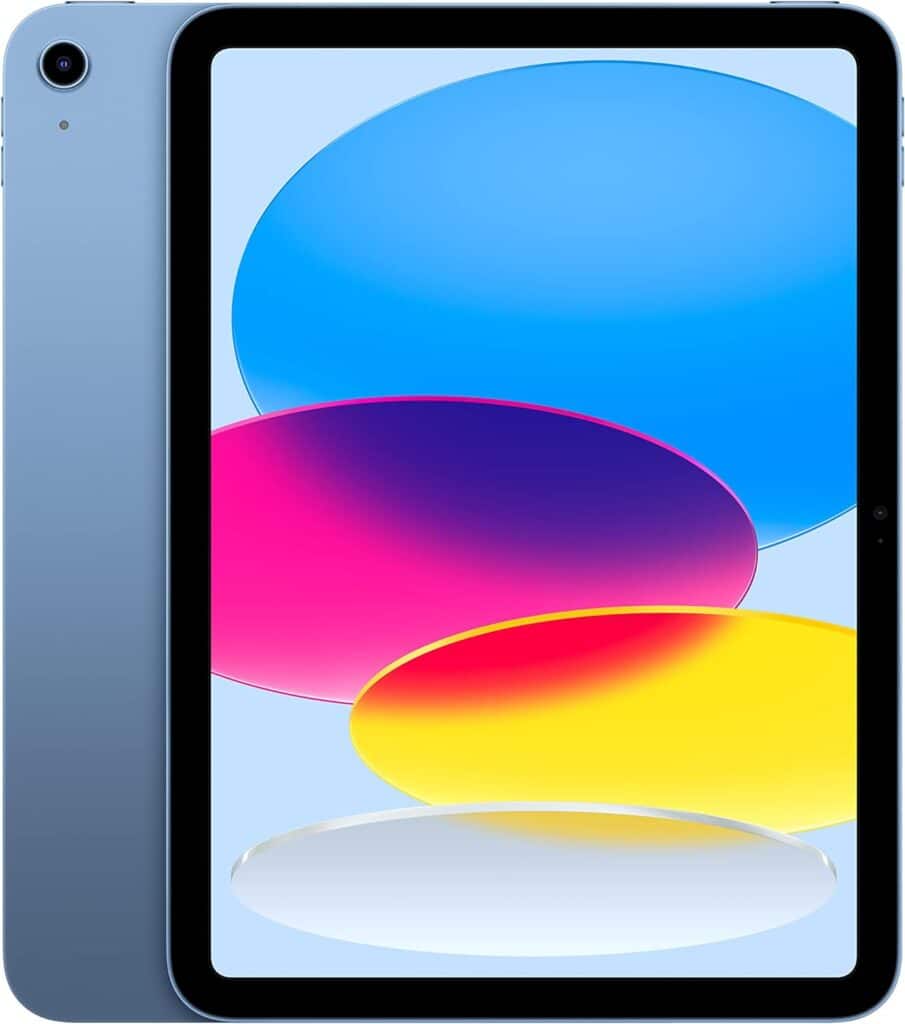
Apple has a reputation for creating sleek, modern, high-powered devices, and our nominee for the best kids tablet, the iPad (10th Generation), checks all those boxes. With 12-megapixel front and back cameras and a Liquid Retina display, no other tablet outdoes the iPad for sheer visual quality, and the optional Apple pencil turns the iPad into an impressive sketch and note-taking tool that’s one of the best drawing tablets for kids. The tablet’s A14 Bionic chip ensures smooth performance even with multiple apps running at the same time, while kids will dig the option of getting the iPad in one of four colors.
The iPad’s ultra-thin profile (only 0.28 inches thick) makes it easy to slip into a small bag or backpack, and its 64GB of internal memory gives kids plenty of room to load up on their favorite apps. The iPad might be more expensive than some of the models on this list, and like other Apple devices, it doesn’t have a standard headphone jack, which means you’ll have to go with Bluetooth earbuds. But if you’re looking for plenty of punch for the price, the iPad is our pick as the best tablet for kids.
Best Budget: Amazon Fire 7 Kids tablet
Key Specs
- Dimensions: 7.9” x 6.4” x 1.1”
- Operating System: FireOS
- Storage Space: 16GB
- Battery Life: Up to 10 hours
- Weight: 0.62 pounds
Pros:
- Light and compact
- Solid battery life
- Easy-to-use parental controls
Cons:
- Not as much storage as other models
- Smaller screen
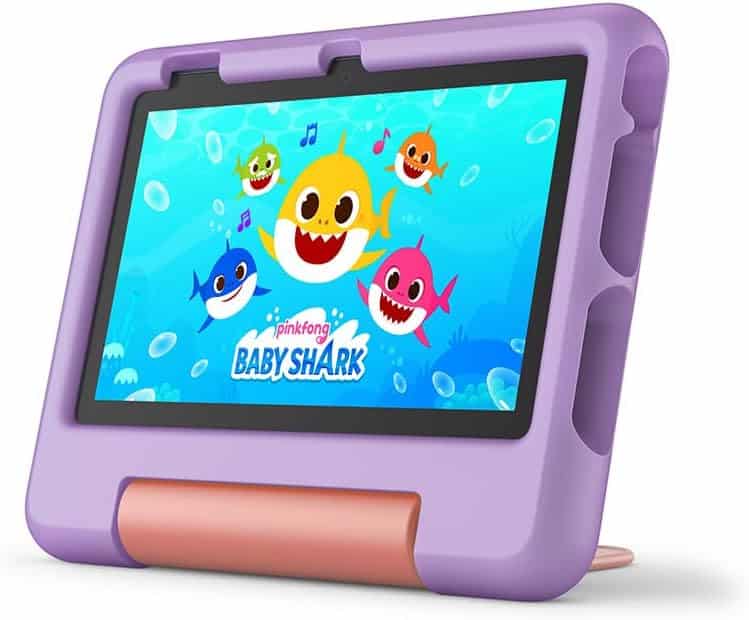
Amazon’s line of Fire tablets are among the top cheap tablets for kids, but don’t confuse cheap for weak. Recommended for kids between the ages of 3 and 7, the Amazon Fire 7 Kids tablet is a cost-effective, fun tablet that’s more than just a toy. The Fire 7 comes with a free year of Amazon Kids+ content and a kid-proof silicone case, which protects it from accidents and makes it easier for your little one to hold. The 10-hour battery life also makes it ideal if you need a tablet that makes it through a full day of school, or a long car trip.
The tablet’s 7-inch screen and 16 GB of storage space aren’t as impressive as some of the other tablets on this list, but for an Amazon kids tablet that combines solid performance and durability with ease of use, the Fire 7 is a top choice.
Best Splurge: Apple iPad Air

Key Specs
- Dimensions: 9.75” x 7.03” x 0.24”
- Operating System: Apple iOS
- Storage Space: 128GB
- Battery Life: Up to 10 hours
- Weight: 1.03 pounds
Pros:
- Top-notch, large display
- Amazing amount of storage
- Sold connectivity options
Cons:
- Price tag is steep if you don’t need top-notch performance
- No Face ID
For a powerful tablet that includes plenty of internal storage, a large 11-inch display, and superior Wi-Fi 6E and 5G connectivity, look no further than the iPad Air. The Air’s M2 chip provides plenty of processing punch, and the vibrance of its display stands out even when compared to the Apple iPad.
One feature the iPad has that we wish was ported over to the Air is a Face ID unlock function (the Air has a fingerprint unlock function that works just fine but isn’t as convenient). That nitpick aside, if you want to have the best of all worlds and can afford to get it, the Air ranks among the best tablets for students and is worth spending a little extra on.
Best for Young Kids: Amazon Fire HD 8
Key Specs
- Dimensions: 8.7” x 7.1” x 1.1”
- Operating System: FireOS
- Storage Space: 32GB
- Battery Life: Up to 13 hours
- Weight: 1.14 pounds
Pros:
- Long battery life
- Decent processing power
- Rugged case and kickstand
Cons:
- Performance can be sluggish
- Price is quite a bit higher than the Fire 7
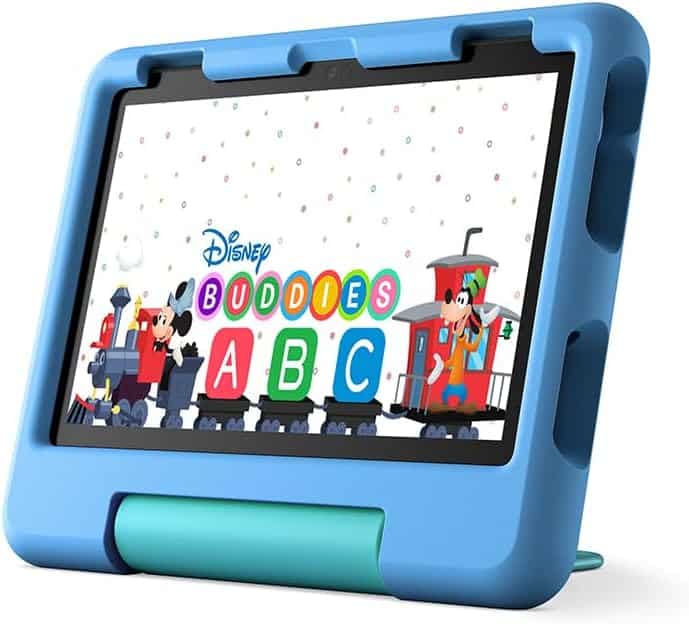
If you have a grade-school kin in your life, we think the best tablet is the Fire HD 8, which boasts superior battery life and the option of adding up to 1TB of storage thanks to its microSD card slot. (That’s a lot of apps you can carry with you.) At just over a pound in weight, this Amazon Fire kids tablet is easy to tote around, while its two-year replacement guarantee gives you peace of mind in case the young ones damage it.
We also appreciated the included kid-friendly case and kickstand — an accessory that’s usually an optional extra with other tablets. With a hexa-core processor that offers performance that’s an improvement on the Fire 7, the Fire 8 is a good step-up device for kids, with the flexibility to take on more apps as they grow.\
Best for Older Kids: Amazon Fire HD 10 Pro

Key Specs
- Dimensions: 10.1” x 7.5” x 0.7”
- Operating System: FireOS
- Storage Space: 32GB
- Battery Life: Up to 13 hours
- Weight: 1.45 pounds
Pros:
- Larger, attractive display
- Great for streaming and video calls
- Solid construction
Cons:
- Not as portable as Amazon’s smaller Fire tablets
- Harder to customize than other Android tablets
Older kids might not be so easily impressed with 7- and 8-inch displays, but what about a 10-inch tablet that doesn’t break the bank? That’s what the Fire HD 10 Pro offers with its 1080p HD screen, plus 3GB of RAM that fuels processing speed that’s 25 percent faster than the previous generation of this tablet.
The HD 10’s streamlined appearance will appeal to kids who want a tablet with a cooler look, and solid video and voice communication capabilities make it a good device for keeping in touch with friends and family. As with all Amazon devices, the HD 10 comes with a bunch of pre-installed apps that you can’t remove, which is a downer if you’re running low on storage, but it’s still an ideal device for the older kid who wants more flash and better video quality.
Best for Teens: Amazon Fire HD 10 Plus
Key Specs
- Dimensions: 9.73” x 6.53” x 0.36”
- Operating System: FireOS
- Storage Space: 32GB
- Battery Life: Up to 12 hours
- Weight: 1.03 pounds
Pros:
- Full battery charge in 3.5 hours
- Brighter 2 million-pixel display
- Integration with Alexa
Cons:
- App selection is limited
- Speakers a little tinny
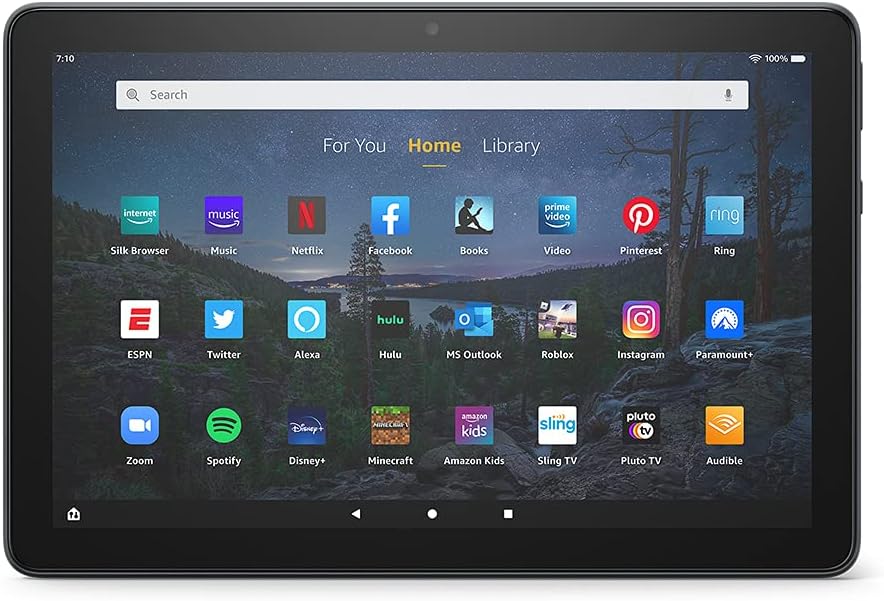
Once your kids hit high school, they’ll want a tablet that can handle more sophisticated apps as well as important functions such as note-taking. The Fire HD 10 Plus delivers on these needs, especially with optional add-ons including a Microsoft Office app bundle and Bluetooth keyboard. Better still, it integrates well with Alexa devices (for example, you can use it as an Alexa smart display) and has everything you need in terms of Amazon apps, including access to Prime Video and Audible.
The HD 10 boasts a simple but durable design that is custom-made to handle daily bumps and bruises, and its fast-charging capabilities (from 0 to 100 percent in about 3.5 hours) make it especially convenient if you’re often on the go. In short, it’s the best tablet for kids on the older side who work hard and play hard.
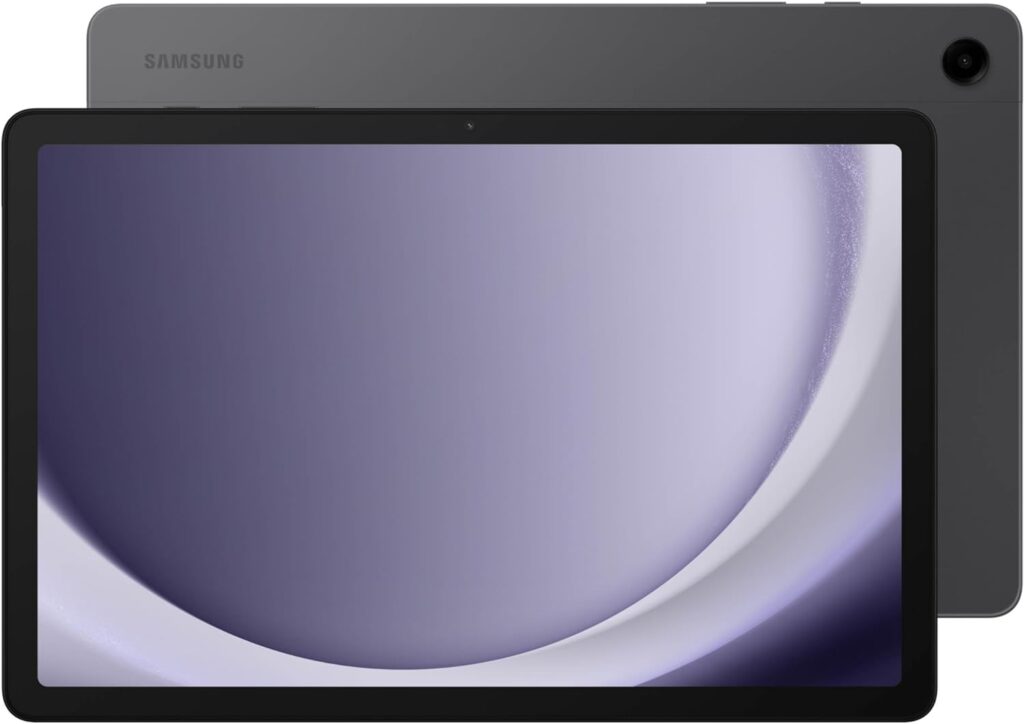
Best to Grow with Your Kid: Samsung Galaxy Tab A9+
Key Specs
- Dimensions: 10.12” x 6.64” x 0.27″
- Operating System: Android 13
- Storage Space: 128GB
- Battery Life: Up to 10 hours
- Weight: 1.32 pounds
Pros:
- Solid screen and audio
- Expandable storage accommodates plenty of apps
- Powerful processor
Cons:
- Battery life not the best
In evaluating the best Android tablets for kids, the Galaxy Tab A9+ charged to the top of our list. The tab isn’t just a great kids tablet; it’s an impressive tablet, period. The expansive 11-inch screen has a refresh rate of 90 Hz, which helps ensure smooth gaming and video streaming, while the Dolby Atmos quad speakers pack quite the audio punch, whether you’re inside or out. And with a large range of Android apps to choose from, you won’t be lacking in software options.
The Tab’s 128GB of storage and microSD support offer plenty of room for expansion, which means your kid will have plenty of time to add apps as they grow with the tablet. The tablet’s Qualcomm Snapdragon 695 is also one of the better tablet processors on this list, which means that your kid won’t be affected by lagging performance for years to come. Some have noted that the Tab’s battery doesn’t last as long as most of the other tablets in our top nine, but overall, we recommend it as a good meat-and-potatoes tablet with solid app options.
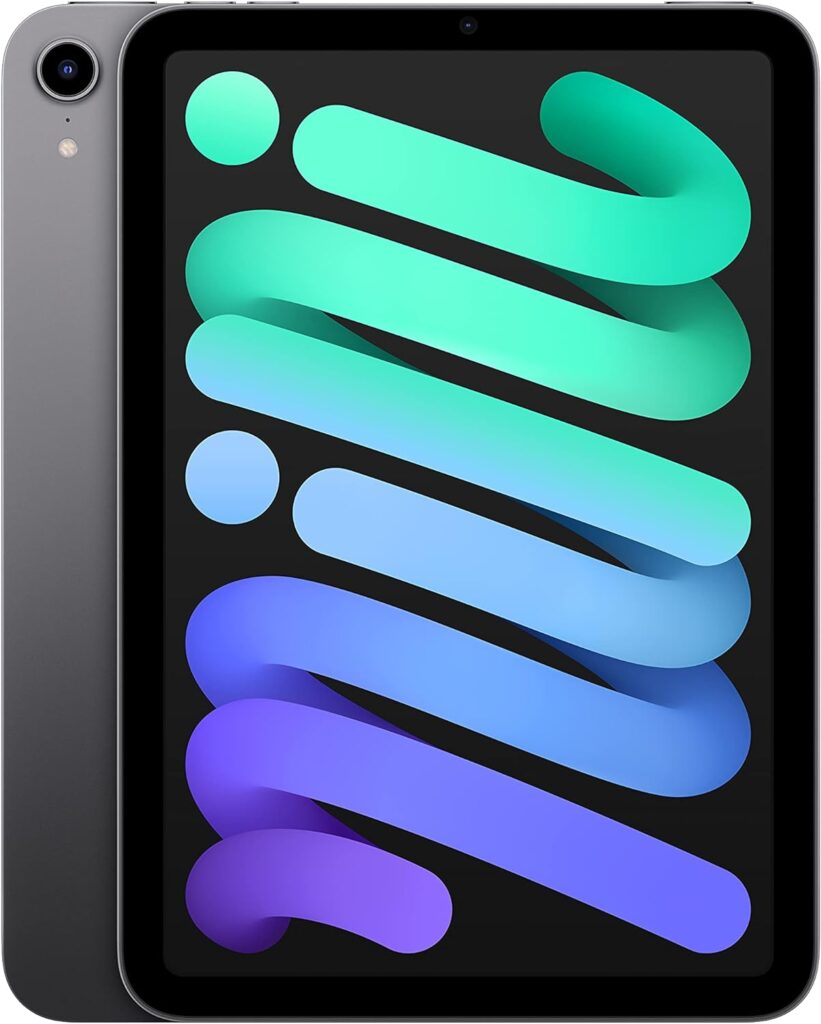
Best Compact: Apple iPad Mini
Key Specs
- Dimensions: 7.69” x 5.3” x 0.25”
- Operating System: Apple iOS
- Storage Space: 64GB
- Battery Life: Up to 10 hours
- Weight: 0.65 pounds
Pros:
- Slim, light and portable
- Performance comparable to bigger Apple tablets
- Great display and cameras
Cons:
- Price tag is steep if you don’t need top-notch performance
- No Face ID
The iPad Mini is proof positive that you don’t have to sacrifice performance for price. Even though this tablet comes with a very portable 8.3-inch screen, its display and cameras are just as visually impressive as the bigger iPad and iPad Air, and with 64GB of included storage, it’s just as well equipped to accommodate a ton of apps.
The Mini’s Wi-Fi 6 and 5G connectivity ensure that you’ll be able to surf the Internet and stream videos at decent speeds, and it also supports Apple Pencils and Bluetooth keyboards if you want to turn your little tablet into a very respectable computer. Best of all, its compact size and light weight means it’s one of the best tablets for reading, as you can hold it without strain for hours on end.
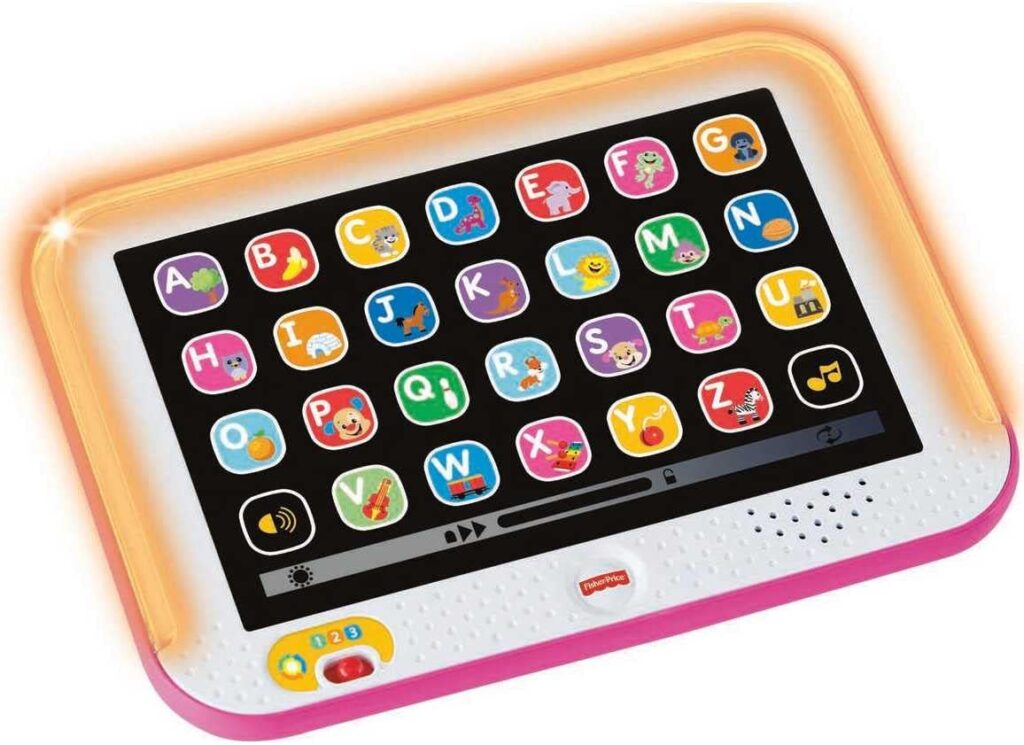
Best for Toddlers: Fisher-Price Toddler Smart Stages Tablet Learning Toy
Key Specs
- Dimensions: 11.13” x 8” x 1.5”
- Operating System: N/A
- Storage Space: N/A
- Battery Life: Powered by 3 AAA batteries
- Weight: 0.57 pounds
Pros:
- Simple, kid-friendly design
- 100+ educational songs, sounds and phrases
- Additional learning levels for more advanced youngsters
Cons:
- Not an actual tablet
For very young children (ages 1 and up), Fisher-Price’s Smart Stages tablet is a great introduction to the world of computing. While not a tablet per se, the toy’s display, with its 28 “app” buttons, approximates a standard tablet screen, and a tap of each app activates lights, music and learning phrases. This fun device thus helps kids understand the basics of tablet usage, with the 100+ included songs, sounds and phrases providing valuable education in areas including the alphabet, colors, and first words.
With three learning levels you can toggle between, the Smart Stages tablet can grow with your child. At a retail price of under $20, it’s the perfect inexpensive, child-friendly learning aid that can acquaint kids with tablets without overwhelming them.
How to Choose the Best Tablet for Kids
Just as no one size of clothing fits everyone, the best tablets for kids will depend on a bunch of factors, such as your child’s needs and age and how you prioritize those needs. For example, if you have a grade-school child and budget is a prime consideration, then a cheap but well-constructed tablet like the Amazon Fire 7 should be at the top of your list. Here’s other top factors you should think about when deciding on a tablet:
Price
If you need to keep costs down, the Amazon Fire tablets featured in our list bring good performance at a small cost. If you can afford to spend a little more, spring for the iPad or iPad Air, which showcase exceptional displays and lightning-fast processors.
Parental Controls
If it’s important to place limits on what your kids can access, or how long you want them to spend on the tablet each day, look for tablets that have parental controls that allow you to set your own parameters, all within a few clicks.
Size and Portability
Just about all tablets are more compact and carryable than your standard laptop, but if you need something that can fit into a small backpack, or a device that’s light enough for youngsters to handle, look into some of the smaller tablets on this list, such as the iPad Mini.
Storage
Having enough storage to keep all of your kid’s important apps and files can be a key consideration for a tablet. A tablet with 64GB of storage or more is usually enough to hold all the data and apps your kid needs, but if you want even more than that, look for models that can expand their storage through external ports or microSD card slots, such as the Galaxy Tab A9+.
Durability
No one wants to buy a tablet and then have to buy another one just a few months later because the kids got a little rambunctious with it. Fortunately many tablets for kids on sale feature durable cases or rock-solid construction that can withstand some drops and collisions. Amazon’s Fire tablet line all feature cases that can hold up to horseplay.
Bottom Line
In our view, the Apple iPad has it all — solid construction, strong performance and an eye-popping display. The iPad Mini is also a great option if you’re looking for a tablet that’s a bit more portable. Amazon’s Fire tablets like the Fire HD 8 are great for younger kids, while the Galaxy Tab A9+ offers a wider range of Android apps and the flexibility to grow along with your kid. Finally, for the youngest kids in the crowd, Fisher-Price’s Smart Stages tablet, while not an actual tablet, provides a fun introduction to the world of tablets.
Frequently Asked Questions
At What Age Should a Child Have a Tablet?
It all depends on your child, and what you expect or want them to handle at their age. Many parents are wary about giving their children tablets until they’re 5, while others might wait until middle school or high school age. In general, it’s best to set specific ground rules for using tablets when you introduce your kids to them, including setting limits on the apps that can be used, and how long the kid should be on the tablet each day. If you can create reasonable rules and your kids can follow them, there’s no reason they can’t use tablets from an early age.
What Tablet Is Best for Kids?
The best tablet for kids depends on your kids’ needs and your budget. For younger kids who are just getting acquainted with tablets, we recommend tablets that don’t go overboard on internal storage and dazzling displays, and stress features such as parental control and durable cases. If you have an older kid who can handle more responsibility and is ready to take on a wider world of more complicated apps, a device such as the Galaxy Tab A9+ fits the bill. And if you’re willing to spend, it’s hard to beat Apple’s iPad.
How Do You Safely Use a Tablet With a Kid?
It’s best to set boundaries with your kid before letting them use a tablet. Explain what they should (and shouldn’t) use the tablet for, and create a list of websites and apps that they should stay away from. Better yet, get a tablet with parental controls such as an Amazon Fire tablet or use an app like Aura or Netnanny, which can monitor kids’ activity and prevent them from looking at dangerous content. (Note that these apps usually cost $50 or more a year in subscription fees.)
How to Choose a Kids Tablet?
To answer this question, ask yourself (and your kid) what the tablet will be used for. If you just need a simple device that can access basic educational apps as well as handle video streaming and games, the Amazon tablets on our list will be just fine (and inexpensive, to boot). If your kid is diving into schoolwork and needs apps to do homework, consider what kind of apps your kids need, and purchase the appropriate tablet. For example, if your kids are into creative projects such as working with images, drawing, or creating videos, the Apple tablets on this page are well-suited for those tasks. If your kid is focused on a word processor or a note-taking app, the Amazon and Android devices we list have what you need. Finally, pick an app that fits your budget—the tablets in our list run the full gamut, from well under $100 up to $500.
Methodology
In order to find the best tablets for kids, we did a lot of research and exclaimed which ones had good parental controls, app store access, Bluetooth and Wi-Fi connectivity, battery life, protective cases, large touchscreen, and solid operating systems. We took all of these factors into consideration when deciding which ones made our “best of” list. We also updated an earlier version of this story with newer picks and added in key specs, pros and cons, and more information to ensure that you have everything you need to know to make your decision.