

You may have a really great internet speed, but sometimes a single router can’t reach every corner of your house. When it comes to seamless Wi-Fi connectivity, you can’t do better than a stellar mesh Wi-Fi system. Of course, some Wi-Fi mesh systems are better than others.
As you search for the best mesh routers and nodes, you’ll want to keep a few big things in mind:
- How many square feet a given router or modem can cover. The more square feet it can cover, the better the Wi-Fi mesh system is for a larger home.
- The download speed or megabits per second (Mbps). That tells you how quickly the Wi-Fi connections will be.
- Is the router dual-band? If so, it’ll offer greater Wi-Fi connectivity options, sometimes with both 2.4 GHz bands and five GHz bands.
- Is it a Wi-Fi 6 mesh system? If so, it means the router works on the 6 GHz band, meaning it provides the fastest possible Wi-Fi access points possible.
- Does the Wi-Fi enable security controls or guest network wireless connections? This can be beneficial if you want to control who can get on your Wi-Fi router system at any time.
- Is the Wi-Fi router compatible with smart home devices, like Google Home or Amazon Alexa? These extra elements make one router or another better for your needs.
- Does the whole-home Wi-Fi router have one device, or is it a two-pack or three-pack? In those cases, it will have satellite devices or Wi-Fi extenders that connect to the main router, enabling you to spread your wireless network all around your home much more easily
Still not sure which to choose to increase your internet connection and maximize the value of your ISP? Check out our breakdown of the eight best mesh Wi-Fi systems you can buy.
Best for Wi-Fi Coverage for Large Homes: TP-Link Deco
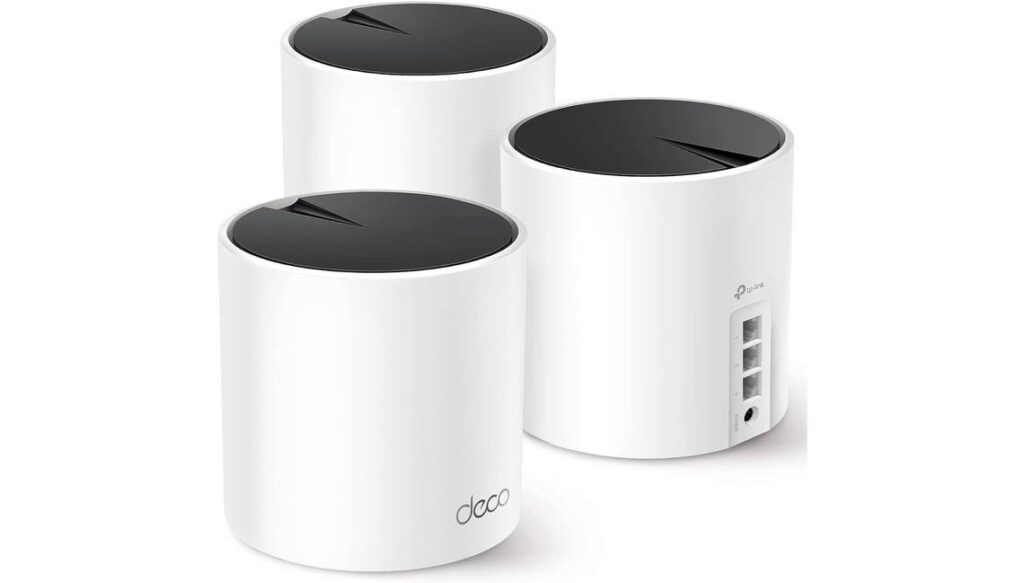
Key specs: Covers 6,500 square feet, nine ethernet ports
First up, this quality mesh Wi-Fi system offers phenomenal Wi-Fi coverage for larger homes, all the way up to 6,500 square feet. Due to high-performance Wi-Fi 6 connectivity, it completely eliminates dead zones and buffering, so it’s far superior to traditional Wi-Fi boosters or range extenders.
Pros
There’s plenty to like about this Wi-Fi mesh system, such as the fact that you can connect up to 150 devices to the overall network with ease. Even better, you’ll find that this Wi-Fi mesh system comes with nine ethernet ports split between the three primary devices for wired backhaul connection.
On top of that, the system comes with AI-driven mesh network software. In a nutshell, this helps the network environment intelligently learn how best to provide Wi-Fi connectivity throughout your home. It also comes with an ethernet cable out of the box.
Cons
On the downside, the TP-Link Deco Wi-Fi mesh system’s Wi-Fi frequency of five GHz could be a little better, given the price point. Furthermore, you’ll have to download a dedicated app to use the Wi-Fi mesh network, and the app interface is a little less intuitive than many might prefer.
Best for Premium Connectivity: Netgear Orbi RBKE963
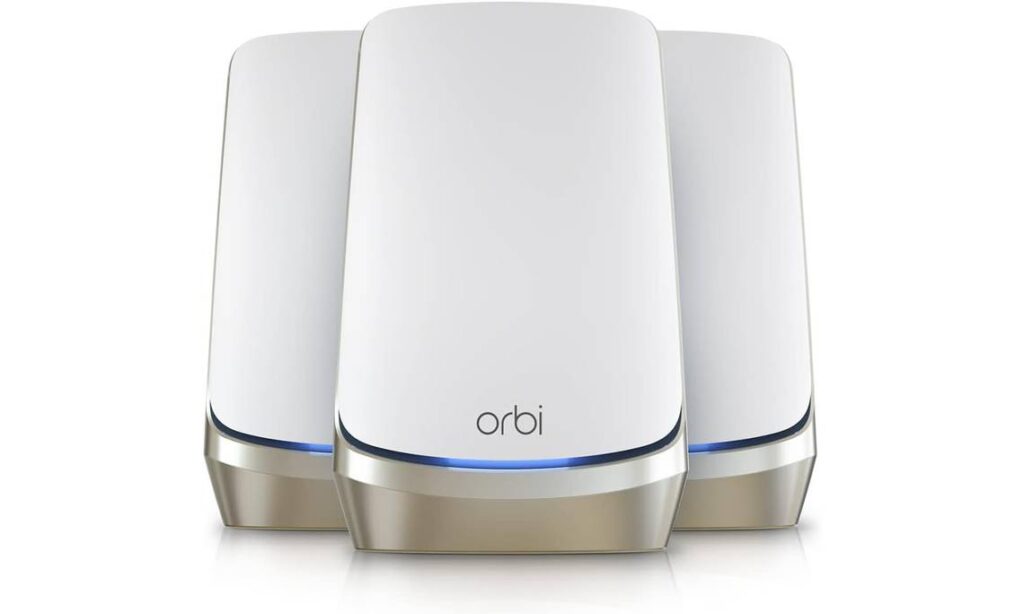
Key specs: Covers 9,000 square feet, 12 ethernet ports
The Netgear Orbi RBKE963 is a standout Wi-Fi mesh system, and for good reason. Compared to all other systems, it offers better overall square footage coverage, clocking in at 9,000 square feet. Because of this, it offers premium Wi-Fi connectivity for much larger homes or offices.
Pros
You get a lot of value out of this Wi-Fi system, with six GHz Wi-Fi connectivity and an ethernet cable included with your purchase. It offers Internet security and parental control options, providing even more value for money, and the quad-band Wi-Fi system is known to be highly stable and great for connecting dozens of devices.
With 12 ethernet ports, it’s easy to download to a gaming console or computer, as well. It’s simple to set up in minutes with the proprietary Orbi app, and the Netgear Armor software is phenomenal for protecting both the Wi-Fi network and any connected devices, like smartphones or PCs, in real time.
Cons
This is certainly a very expensive Wi-Fi mesh system, so it’s not for the budget-minded shopper. In addition, if you want to set these up anywhere, you’ll have to pay extra for wall mounts. Extra units for even more coverage are also quite expensive. In total, it’s a better Wi-Fi mesh system for those seeking premium Wi-Fi connectivity who don’t mind high prices.
Best for Multi-Device Connectivity: Amazon eero Pro 6E mesh Wi-Fi router

Key specs: Covers 2,000 square feet, two ethernet ports
Amazon’s eero Pro 6E Mesh Wi-Fi Router is another excellent choice, particularly for those who need multi-device connectivity on the same network. For example, you may have several Google Assistant devices throughout your home. With this Wi-Fi router and mesh system, you’ll be able to connect over 100 devices and enjoy fast and reliable Wi-Fi speeds.
Pros
This Wi-Fi network supports fast speeds and direct access to six GHz Wi-Fi bands when using compatible devices. This results in lower latency and higher throughput.
The patented TrueMesh technology is also nice, as it intelligently routes traffic to different areas to reduce dead spots and lag. You can also use this Wi-Fi mesh system router as a smart home hub since it is compatible with Amazon Alexa.
Cons
Keep in mind that this eero 6 Wi-Fi router only covers up to 2,000 square feet, so it won’t produce the widest-reaching Wi-Fi network. On top of that, you can only connect to a couple of ethernet ports through one device, as there aren’t any satellite devices you can scatter throughout your home for better connectivity and ethernet cable flexibility.
Best for Smart Home Compatibility: Google Nest Wi-Fi Pro
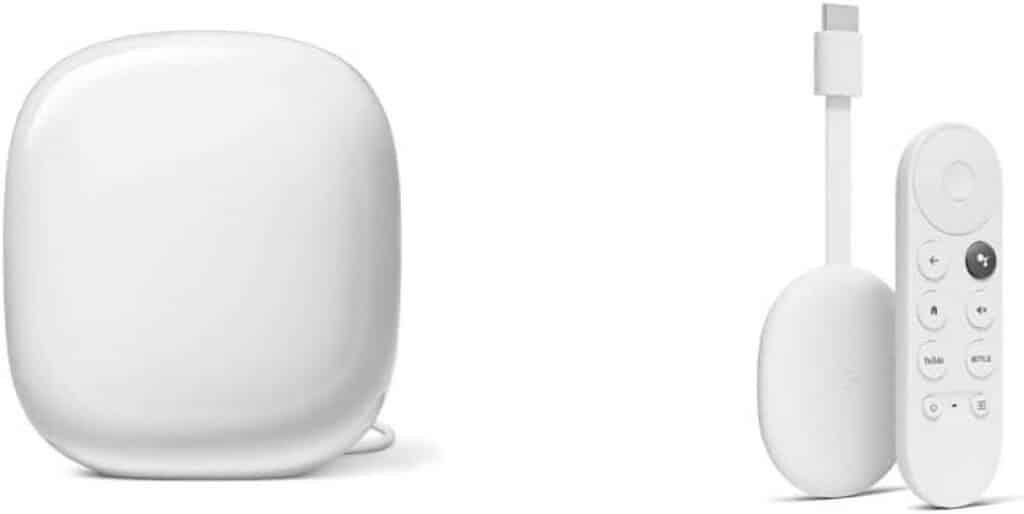
Key specs: Covers 2,200 square feet, two ethernet ports
Maybe you’re a fan of Google’s smart home network devices. In that case, the Google Nest Wi-Fi Pro is your top pick for compatibility. It covers up to 2,200 square feet and increases the functionality of the best Wi-Fi routers.
Pros
Aside from this system’s compatibility with Google devices, you’ll find that it provides other benefits, like Wi-Fi 6 connectivity for superfast speeds and overall network reliability. The live TV option lets you check out millions of songs and hundreds of thousands of movie and TV options, plus get fast streaming with clear pictures and bright colors. Your Chromecast allows you to stream Netflix, YouTube, and other apps as well.
The control device is simple and easy to use, and you can connect personal computers to this Wi-Fi mesh system quickly and easily.
Cons
Previous generations of Google Wi-Fi or Wi-Fi devices are not backward compatible with this system. Plus, you may not find the Chromecast useful. This Wi-Fi mesh system only covers up to 2,200 square feet, so it may not be ideal for larger homes.
Best for Apple Fans: Linksys Velop Mesh Home WiFi System
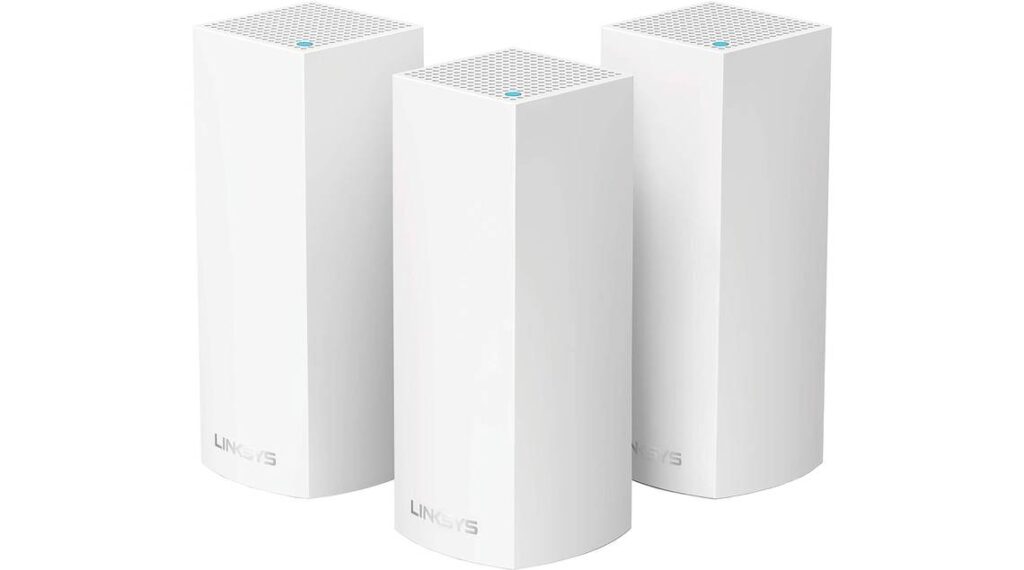
Key specs: Covers 6,000 square feet, six ethernet ports
The Linksys Velop Mesh Home Wi-Fi System is perhaps the ideal choice for Apple fans, as it’s compatible with Apple HomeKit devices and smart home systems. Thanks to its coverage of up to 6,000 square feet, it’s perfect for multi-story homes.
Pros
If you try this Wi-Fi mesh system, you’ll find plenty of advantages, like tri-band connectivity speeds (867, 867, and 400 bits per second notes, depending on your preferences). It all works thanks to the 716 MHz quad-core processor, which is easy to use and quite powerful.
It can connect to Amazon Alexa so you can manage your Wi-Fi devices quickly and easily. With 512 megabytes of storage capacity, this is a fantastic choice for those who need to connect computers or gaming consoles to the Wi-Fi network regularly.
Cons
However, the Wi-Fi units used here are quite boxy and might be difficult to set up in a place that looks good with the rest of your entertainment center. Furthermore, the Wi-Fi mesh system only provides Wi-Fi connectivity up to 2.4 GHz, so it may not provide fast speeds like other Wi-Fi mesh networks on the market.
Best for Security: ASUS ZenWiFi AX6600 Tri-Band Mesh Wi-Fi 6 System

Key specs: Covers 5,500 square feet, four ethernet ports
If you want to prioritize total security for your family’s Wi-Fi connections, the ASUS ZenWiFi mesh system is what you need. That’s because it includes lifetime internet security plus easy setup so you can rest assured that your Wi-Fi devices won’t be vulnerable to cyberattacks.
Pros
The most notable pro is top-tier Internet security. In addition, it comes with built-in parental controls and Alexa compatibility, so it’s easy to integrate with your existing Wi-Fi or digital network.
On top of that, it provides triple-band Wi-Fi connectivity with special antenna placement to deliver strong, consistent Wi-Fi signals to every corner of your home. Total wireless speeds can cap out at 6,600 megabits per second. Wi-Fi 6 technology enables even more stability and reduces dead zones.
Cons
However, there’s also no denying that this is a pricey Wi-Fi mesh system. In addition, you’ll find that it only has a handful of ethernet ports, so you won’t necessarily be able to rely on this Wi-Fi mesh system for many ethernet cables or hardwired connections throughout your property.
Best for Home or Office Connectivity: Tenda Nova Mesh Wi-Fi System MW6
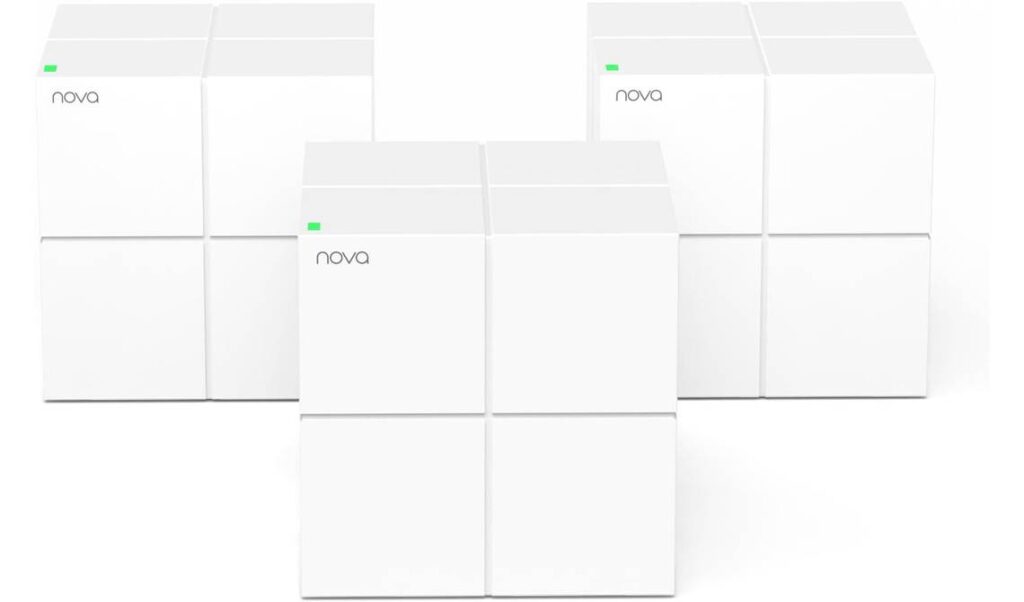
Key specs: Covers 6,000 square feet, two ethernet ports
If you’re looking for a capable Wi-Fi mesh system for your whole office, Tenda’s Nova Mesh Wi-Fi System MW 6 is perfect. That’s because it comes with three Wi-Fi devices and routers, all for an affordable price.
Pros
This budget-friendly Wi-Fi mesh option gives you three devices for less than $100. It also has useful features like a dedicated guest mode, parental controls, and beamforming technology for more direct, consistent Wi-Fi connections.
The system is compatible with Amazon Alexa and comes with three power adapters, a one-gigabit ethernet cable, and a handful of other accessories for your purchase. All in all, you could do worse for a single Wi-Fi mesh system purchase.
Cons
But you could also do better. It doesn’t offer Wi-Fi 6 connectivity, and you’ll find that the boxy routers and connecting systems don’t look the best compared to other Wi-Fi mesh system accessories. The parental and remote controls also have to be done through the mobile app, which is decent, though not incredible.
Best for Parental Controls: Meshforce M3 Mesh Wi-Fi System
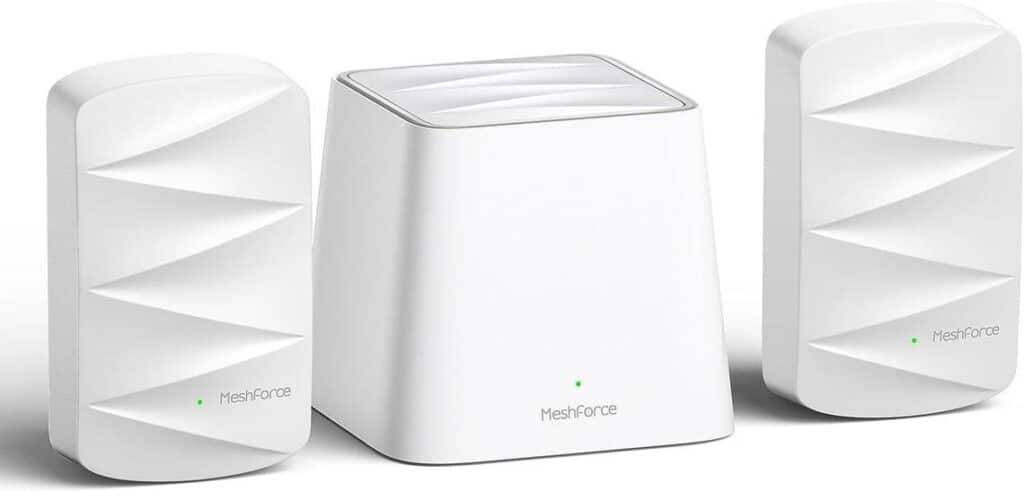
Key specs: Covers 4,500 square feet, one ethernet port
Parents seeking a secure mesh Wi-Fi system might prefer the Meshforce M3. That’s because it comes with top-tier parental controls right out of the box, plus it covers most homes with a maximum coverage of 4,500 square feet.
Pros
This is an affordable Wi-Fi mesh system, so parents might like it for that reason, as well. You can purchase optional Wi-Fi dots for additional connectivity points throughout the house without breaking the bank, as well.
In total, it can support up to 60 simultaneously connected devices at once, and it comes with WPA/WPA2 mixed security level password encryption. In this way, you can welcome guests into your home while keeping your overall Wi-Fi network secure.
Cons
Unfortunately, there’s only one ethernet port on the back of this device, so it’s not the best for hardwired connections. Furthermore, this device does not provide the fastest or most seamless Wi-Fi connections.
The Bottom Line
There’s a Wi-Fi mesh system perfect for you — you just have to consider your needs! As an example, Tenda’s Nova Mesh Wi-Fi System MW 6 is great for offices, while the eero Pro 6E Mesh Wi-Fi Router is top-notch if you’re a gamer who needs the bandwidth to connect several gadgets to one Wi-Fi network. Consider these options and conduct several speed tests to make sure you’re getting lag-free Wi-Fi!
Sources: