

Tablets have come a long way since their introduction in the late 1980s, when they were used primarily as note-taking devices. The best tablets for students today can do just about everything a high-powered computer can at a lower price point, whether it’s streaming videos, checking email and social media, or creating documents and spreadsheets. And thanks to their slim designs, tablets are easy to tote between home and class — and it’s a whole lot easier viewing a wide-screen tablet display than squinting at a phone screen.
To find the best tablet for school, we evaluated the latest models on the market, taking into account important features such as battery life, screen resolution, processing power, storage space and price. Our top picks below are a wide sampling of tablets covering every major need.
The Best Tablets for Students
- Best Overall: Apple iPad
- Best Budget: Lenovo Tab
- Best Splurge: Microsoft Surface Pro
- Best for Durability: Samsung Galaxy Tab
- Best Compact: Apple iPad Mini
- Best for Art: Wacom One 13 Touch
- Best for Kids: Amazon Fire HD 8 Kids Pro
Best Overall: Apple iPad
Key Specs
- Dimensions: 9.79 x 7.07 x 0.28 inches
- Compatible With: Apple iOS
- Storage Space: 64 GB
Pros
- Superior 10.9-inch display
- Strong battery life
- Top-notch processing power
Cons
- Magic Keyboard Folio and Apple Pencil accessories are useful but cost extra
Why We Chose It
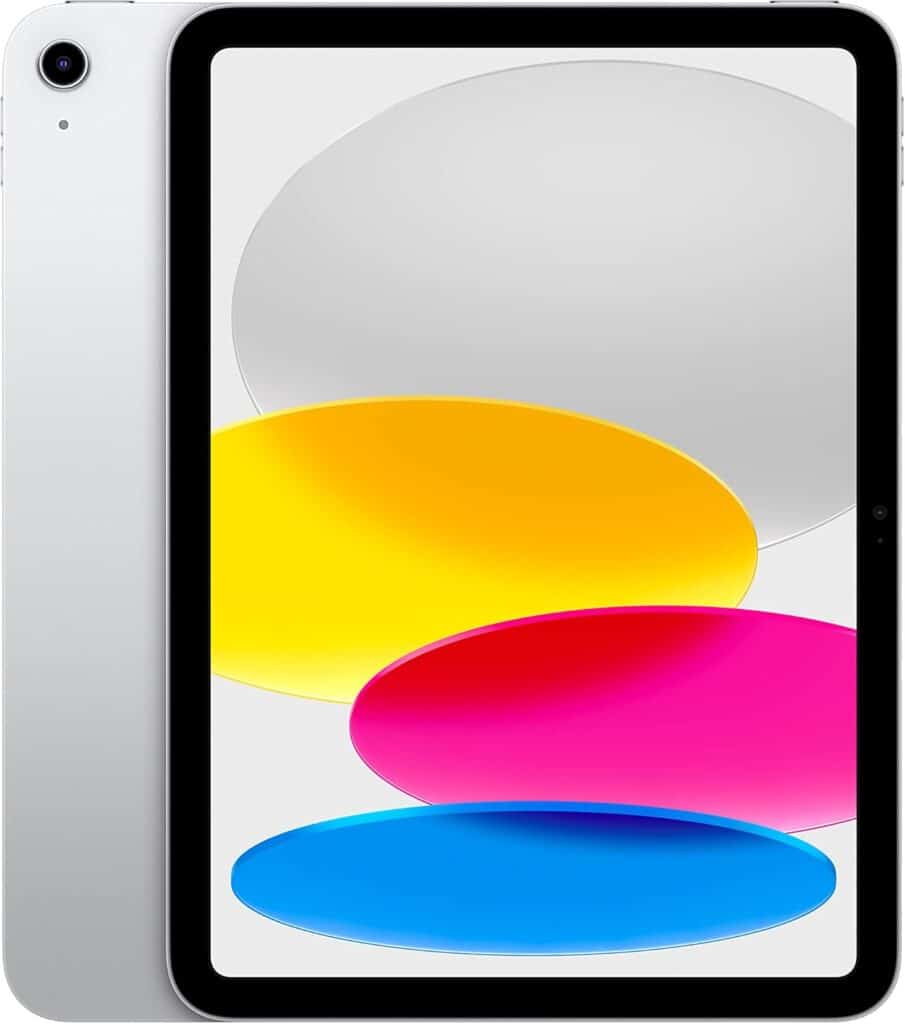
Apple energized the tablet market with its first iPads in 2010 and this 10th-generation update stands tall as the best tablet you can buy. Its A14 Bionic chip supports smooth performance when multitasking or playing graphics-heavy games, and the separate Apple Pencil accessory turns the tablet into an advanced drawing canvas.
We also gave high marks to the iPad’s 10.9-inch Liquid Retina display, and its 12 megapixel front and back cameras allow for sharp video and photos. As the cherry on top, the 9-10 hour battery will get you through a whole day of classes or studying without needing a power outlet. The iPad isn’t as cheap as other tablets on this list (especially if you get the optional Magic Keyboard Folio and Apple Pencil), but for a formidable combo of power and quality, it gets our nod.
Best Budget: Lenovo Tab

Key Specs
- Dimensions: 10 x 6.54 x 0.28 inches
- Compatible With: Android
- Storage Space: 64 GB
Pros
- Durable construction
- Good battery life
- Solid features, including a pen and AI scanner
Cons
- Some have reported battery life and charging issues
- Underwhelming display and cameras
Why We Chose It
Lenovo’s Tab M11 is proof that you don’t need to pay through the nose for a solid tablet. Powered by a MediaTek Helio G88 processor, this tablet can handle everyday tasks without major issues, and its 10-hour battery life is on the higher end of the tablets we reviewed. It also boasts the convenience of an AI smart scanner, which can convert images to PDFs with a click of the camera.
The M11’s durable unibody style design makes it resistant to water and dust damage, while the included pen makes for a handy note-taking and sketching tool. Some may find the screen and cameras under par, but given the price, the M11 provides a heap of value which makes it perfect for the budget-conscious student.
Best Splurge: Microsoft Surface Pro

Key Specs
- Dimensions: 11.3 x 8.2 x 0.37 inches
- Compatible With: Windows
- Storage Space: 512 GB
Pros
- Generous internal storage and RAM
- Excellent battery life
- Solid features, including a pen and AI scanner
Cons
- Detachable keyboard and pen sold separately
- Keyboard connections not always smooth
Why We Chose It
If you can’t decide between a laptop and a tablet, why not have both? We rank the Microsoft Surface Pro among the best tablet computers for students, with its ability to switch between a spiffy tablet and an efficient laptop with the click of a detachable keyboard. We were taken with the Surface Pro’s large display, its substantial 512 GB of internal storage and its Snapdragon X Plus core, which is powerful enough to handle generative AI tasks and graphics-intensive apps. This is a tablet that also makes a style statement, as you can buy it in black, platinum, sapphire or dune colors.
To take full advantage of the Surface’s 2-in-1 capabilities, you need to buy a separate detachable keyboard and pen, which adds to the tablet’s already hefty price. But if you have a use for a laptop that can become a tablet (and vice-versa), the Surface Pro is a solid choice.
Best for Durability: Samsung Galaxy Tab

Key Specs
- Dimensions: 9.98 x 6.51 x 0.26 inches
- Compatible With: Android
- Storage Space: 128 GB
Pros
- Solid, water-resistant build
- 18-hour battery (with fast charge capabilities)
- Solid features, including a pen and AI scanner
Cons
- Display not as crisp as other tablets
- 8-megapixel cameras are underwhelming
Why We Chose It
How tough is the Samsung Galaxy Tab? It can function even after being submerged in water for 30 minutes. We gave a thumbs-up to its other quality features too, such as an Exynos processor, a dual-speaker system that’s Dolby Atmos-capable, and the included S-Pen for note-taking and drawing. You can also expand the Tab’s workspace by hooking it up to Windows PCs or Android phones. Best of all, its battery can run for up to 18 hours without a charge, and can be fully charged in under two hours.
The Tab’s display and cameras are more utilitarian than stunning, and some cited trouble with the included fingerprint scanner. Still, it’s our pick for a tablet that can take a licking and keep on ticking.
Best Compact: Apple iPad Mini

Key Specs
- Dimensions: 7.69 x 5.3 x 0.25 inches
- Compatible With: Apple iOS
- Storage Space: 64 GB
Pros
- Sparkling video quality
- Excellent battery life
- Fast 5G and Wi-Fi 6 connectivity
Cons
- On the pricier side
- Apple Pencil and detachable keyboard cost extra
Why We Chose It
If you’re looking for the best tablet for school that can fit easily inside a small backpack or purse, the iPad Mini should be your go-to option. Don’t let the small size fool you, though; this tablet delivers strong performance and fast graphics, thanks to its A15 Bionic chip. As with the standard Apple iPad, 12-megapixel cameras and the Liquid Retina display give you superior visuals every time. And for something not much bigger than a Kindle that you can hold in one hand, you get gorgeous graphics and versatility.
This quality does come at a premium price — the Mini costs over twice as much as our budget pick, the Lenovo Tab. We can’t argue that the Mini is worth every penny though, packing a big punch in a small package.
Best for Art: Wacom One 13 Touch
Key Specs
- Dimensions: 13.2 x 8.7 x 0.1 inches
- Compatible With: Android, Apple iOS, Windows
- Storage Space: 64 GB
Pros
- Large, responsive touchscreen
- Battery-free writing stylus included
- Compatible with computers running all common operating systems
Cons
- Functions best when paired with separate computer or laptop
- Connectivity with other computers can be spotty
Why We Chose It
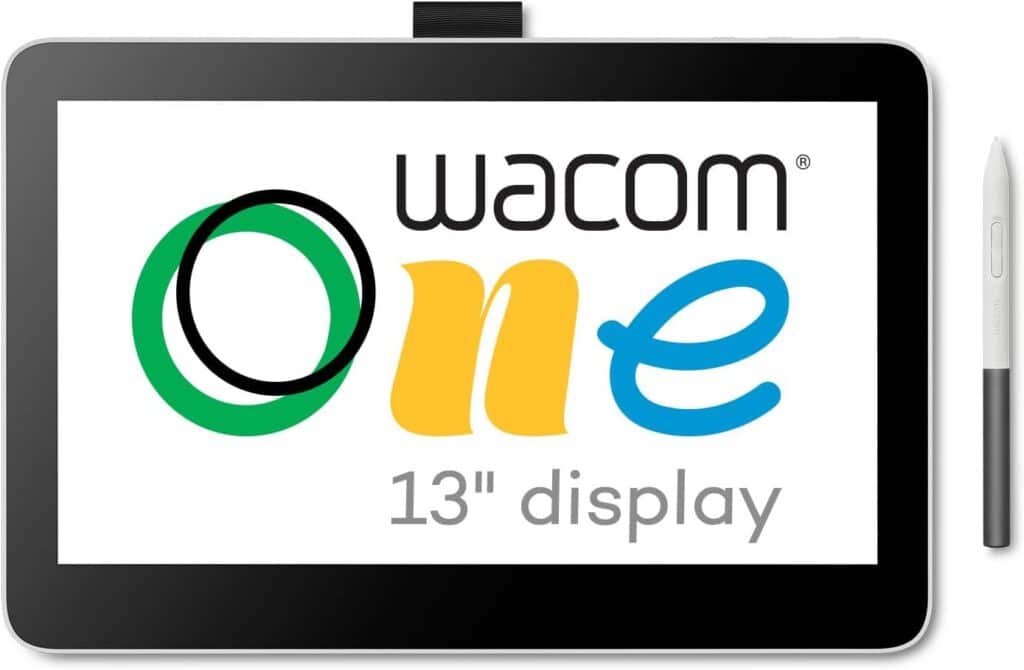
Students who want to give their artistic side a workout should check out this Wacom tablet.
Its calling card is its laminated, anti-glare 13.3-inch touchscreen display, which is one of the most responsive screens you can find, especially when using the included pressure-sensitive pen. This tablet can link up with any computer using Windows, Apple iOS or Android, and it can take on a variety of tasks, from sketching to editing photos and videos. Its extra-thin design also makes it easy to stow in your backpack.
While the Wacom One 13 Touch is a first-class drawing tablet, it comes up a bit short against other tablets when it comes to other tasks. But if your work involves digital art, graphics and illustrations, this can be a powerful tool that’s handy to have around when artistic inspiration strikes.
Best for Kids: Amazon Fire HD 8 Kids Pro

Key Specs
- Dimensions: 8.3 x 6.4 x 0.7 inches
- Compatible With: Amazon Fire OS
- Storage Space: 32 GB
Pros
- Long battery life
- Parental controls and safe-browsing options
- Kid-friendly casing
Cons
- Lackluster processing power
- Narrow range of apps
Why We Chose It
For the young student in your life, you don’t necessarily need a tablet with the full array of expensive features. Amazon’s Fire tablets for kids give you solid performance at a decent price point, and the HD 8 makes for a solid addition to the Fire lineup. We appreciated the long-lasting 13-hour battery and the parental control and safe browsing options that can protect children from security and safety issues. The included 32-GB storage capacity also leaves plenty of room for useful educational and reading apps via a free initial subscription to Amazon Kids+ (which can be renewed after a year). Plus, connectivity with Amazon’s Alexa devices enable kids to make voice and video calls over Wi-Fi.
The Fire sacrifices a bit in processing power — its Hexa-core 2.0 GHz processor won’t handle multi-tasking very well). That said, it fulfills what it sets out to be as well as any tablet we reviewed: a sturdy, child-friendly device that offers a solid library of educational apps.
Bottom Line
For a complete package that marries top-notch processing power with strong battery life and an eye-popping display, the Apple iPad and its cousin the iPad Mini are at the top of our list. If price is an important consideration, the Lenovo Tab gives you plenty of functionality along with durable construction. The Samsung Galaxy Tab is our pick if you need a tablet that can withstand a lot of wear and tear, and the Amazon Fire HD 8 Kids Pro features kid-friendly apps and safety options that will put parents’ worries to rest.
How to Choose a Tablet
Versatility
Do you need a tablet that offers functionality that’s similar to your phone? Or are you looking for a creative canvas that you can use for drawing? Maybe you need a device that can take on all the everyday tasks that a laptop or computer can handle (with accompanying detachable keyboard). Give some thought to what you’ll be using your tablet for, and choose accordingly.
Operating System
Tablets operating on Android offer a plethora of apps, but if you’re going to spend more time organizing and working with text documents and other major files, you may want a more user-friendly operating system such as Windows or Apple iOS.
Battery Life
As a baseline, you should seek out a tablet that can operate for at least seven to eight hours without a charge. That’s enough to get you through a busy day of classes or work at the local coffee shop.
Storage Capacity
If your homework or class materials take up a lot of storage space, opt for a tablet with a large amount of internal storage, or look for a tablet with USB connections that allow you to connect external drives.
Frequently Asked Questions
What’s the difference between a tablet and a laptop?
While tablets and laptops are both portable, tablets usually have touch-screen displays, which make them ideal for drawing, sketching and other functions using pressure-sensitive styluses and pens. Tablets tend to be flatter and more portable than laptops, which make them a useful device if you’re on the go. Laptops typically have more processing power and can handle a wider range of apps, but many high-level tablets have similar capabilities, as long as you pair them with a keyboard.
What are tablets used for?
Tablets are best used for taking notes, using apps with touch interactions, reading books, browsing the Internet, and watching videos. Their long battery life and light weight make them an ideal choice to take with you everywhere you go, whether you’re heading to class or going off on a long road trip.
Which is better: Apple tablets or Windows tablets?
The answer to this question depends on your needs. Does your class work focus mainly on writing text documents, programming or working with data? If that’s the case, Windows will probably suit you best. Windows also has a greater variety of games available (not that we recommend spending your school year gaming 24/7). If your projects involve more graphic design or video and audio editing, we’d go with Apple tablets’ displays and apps.
Methodology
In choosing the tablets on our list, we focused on overall performance, with preference for tablets equipped with speedy processors, as well as extended battery life and solid builds. We also searched for tablets that provided bang for the buck, whether it was a budget model with enough power to handle everyday needs, or more expensive models that featured superior features such as vibrant displays, ultra-sensitive touchscreens, or processors and memory storage that rivaled that of high-level laptops.
Sources
Casey, H. “MacBooks vs Windows Laptops: Which Is Best for You?” CNN.
De Leon, N. “Tablet Buying Guide.” Consumer Reports.
Laukkonen, J. “Should You Buy a Tablet?” Lifewire.