

`Printers are some of the most essential tools for any home office. They’re helpful for work, school projects for your kids, and for printing out family photos. But the kind of printer you choose will determine the types of things you can print and what quality you can expect.!
As you begin your search on Amazon, at Best Buy, and elsewhere, be sure to consider things like:
- Print quality, or how good printed pages look
- Compatibility with Apple, Windows, and Android devices
- Ethernet connectivity and overall home use connectivity options
- Whether you are looking for a small office printer or a basic Bluetooth printer for your family with lots of ease-of-use
- Whether low-cost printing matters to you, or if you are willing to splurge on photo paper and more quality prints
Today, let’s We’ll break down some of the best home printers for 2023. In the process, We’ll examine printers great for budget-minded shoppers, photo printing, and other specific needs.
Best for All-in-One Printing: Canon Wireless Pixma TR-Series Inkjet All-in-One Printer

Canon’s Wireless Pixma TR-Series Inkjet All-in-One Printer is an excellent choice if you need a home printer to do it all: photo printing, document printing, and everything in between. While the printing speed isn’t particularly impressive, this is still an excellent printer purely because of the versatility it can bring to your household.
Depending on your printing needs, various types of printers can reduce the associated hassle or ink costs. However, if you need multiple prints, such as glossy photos and 50-page documents, an all-in-one printer will likely offer the lowest printing costs for the most effectiveness overall.
For example, this is a wireless inkjet printer that you can print to from your smartphone or tablet. It also comes with two-sided or duplex printing, borderless printing, and photo printing, all in the same package. On top of that, it comes with a built-in scanner and auto document feeder (ADF), making it quick and straightforward to copy crucial documents for your home office.
Save those documents to your PC, connect the printer to your smartphone and tablet, and much more with an easy-to-understand guide. Bottom line: if you need a printer that can handle any printing job you have in mind, this is just the printer ticket for you.
Best for Two-Sided Printing: Epson EcoTank ET-2850 Wireless Color All-in-One Cartridge-Free Supertank Printer

On the other hand, what if you need a printer specialized for two-sided printing above all else? The Epson EcoTank ET-2850 Wireless Color All-in-One printer is a good choice. With a max speed of 10.5 pages in black and white, this multifunction printer is a good choice for printing two-sided documents consistently and quickly.
The automatic two-sided printing functionality works well with a high-resolution flatbed scanner and a color display, so you can easily copy documents and navigate through different pages. The auto document feeder is also high-capacity, as are the ink tanks.
Even better, you can get a lot of savings on replacement ink, saving up to potentially 90% with replacement ink bottles compared to ink cartridges. Up to two years of ink in the box adds even more value for money. Overall, this wireless printer is a good pick for small home offices or homeowners needing to print out many black-and-white documents.
Best for Ink Subscriptions: HP OfficeJet Pro 9015e Wireless Color All-in-One Printer

However, HP’s OfficeJet Pro 9015e Wireless Color All-in-One Printer truly takes the cake regarding ink subscriptions in savings. That’s because you get six months of free ink when you activate the HP+ program, which is easy to do as soon as you open the box. Six months of free ink is nothing to scoff at, especially given that this is one of the pricier printers on the market.
Activating HP+ also gives you access to extra features with this printer, like mobile security and automatic updates. Regardless, you’ll love this printer because of its fast color printing speed, automatic two-sided printing and scanning, copying, and fax functionalities.
Indeed, it’s a stellar all-in-one printer if you have a little extra cash to spend. The self-healing Wi-Fi is also excellent for maintaining a consistent connection to your Internet router and ensuring that streamed documents are printed perfectly the first time.
Mobile and wireless printing is truly fun with this printer. Don’t forget the 50% savings you can get by signing up for the ink replenishment program!
Best for Fast Printing: Lexmark B2236dw Black and White Laser Printer

Maybe you’re looking for a home printer that is speedy rather than comprehensive, however. In that case, you’ll want to purchase the Lexmark B2236dw Black and White Laser Printer, which can print up to 36 pages per minute.
Granted, this is only in black and white, but it’s still excellent if you have a lot of documents you need to print or copy quickly. Of course, the printer connects to standard Wi-Fi connections for desktop and mobile printing, and you can load and print up to 250 pages without refilling the automatic document feeder.
Thanks to this fast printing speed, the Lexmark B2236dw laser printer is a stellar choice for entrepreneurs or small business owners who operate primarily outside their home offices. Rest assured, you’ll be up to printing large stacks of documents in no time with this printer on your table.
Best for Premium Printing: Brother MFC L5705DW Business Monochrome Laser All-in-One Printer

Brother’s MFC L5705DW Business Monochrome Laser All-in-One Printer is pricey but often worth its versatility. It can print dozens of pages per minute, offering very high-quality output with a fast print speed and 3,000 pages of toner included with the purchase.
On top of that, the printer comes with a 50-page capacity scanner and auto document feeder, which can scan both sides of a page for fast, dual-sided scanning. The paper tray is expansive and excellent, and the printer comes with triple-layer security to safeguard your home network.
Add to that an easy-to-use control scheme, and it’s clear that this is a go-to choice for small business owners or homeowners who want the best without compromising on budget. This can do it all if you have more money to spend on your printer.
Best for Sustainable Printing: HP Envy Inspire 7955e Wireless Color All-in-One Printer
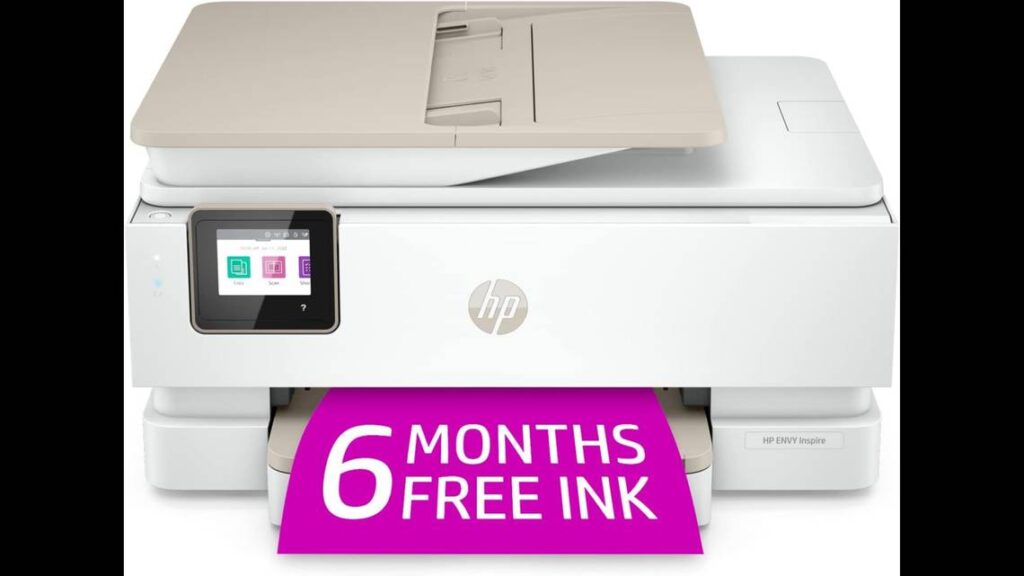
The HP Envy Inspire 7955e Wireless Color All-in-One Printer is an excellent pick for households who want to do their part for the planet. This sustainable printer can print 10 or 15 pages per minute, but more importantly, it gives you six months of free ink when you activate the HP+ subscription.
How is that sustainable? The printer itself is made with over 45% recycled plastic content. As a result, the printer did not use as many carbon materials or fossil fuels to be created as many of its counterparts. The program itself is also entirely sustainable since you recycle different cartridges.
As for the printer itself, it’s a top-tier design offering easy wireless setup, touchscreen shortcuts, and an auto document feeder. This can print black and white or color, plus provide automatic two-sided printing and advanced photo features. It’s safe to say that it will tackle anything your household needs to print.
Best for Affordable Printing: Epson Expression Home XP-5200 Wireless Color All-in-One Printer

The Epson Expression Home XP-5200 Wireless Color All-in-One Printer is an affordable, budget-friendly choice for households that don’t want to spend too much on printing initially or in the long term. This high-quality home office printer has a 150-sheet paper tray, plus many other excellent features, for a very reasonable price.
This is one of the best budget printers, with automatic two-sided printing functionality and hands-free and voice-activated printing using assistants like Google Assistant and Alexa. It also connects to mobile devices to enable you to print it straight from your iOS or Android device of choice.
The 2.4-inch color display lets you navigate through the printer and its controls effortlessly, and you can even create searchable PDFs and much more with the proprietary Epson ScanSmart technology. Overall, this printer has a ton of value that you won’t want to miss, especially if you want to save money and give your family printing capabilities.
Best for Black and White Printing: Brother Compact Monochrome Laser Printer

Black and white printing has its uses, especially for small home businesses and for printing everyday documents, like tax forms or school report cards. Brother’s Compact Monochrome Laser Printer is an excellent black-and-white printer that can print up to 32 pages per minute.
More importantly, it has many dynamic features to help you meet various needs, like a 250-sheet paper capacity tray, flexible printing, and mobile printing. You can connect with wireless devices or to a computer using the USB interface,
This photo printer is also relatively easy to use, and you can sign up for a Refresh EZ Print subscription to save up to 50% on toner. This is another element that makes it an excellent choice for small businesses, as such enterprises are likely to burn through a lot of toner and paper rapidly, particularly as business picks up!
Best for Home Office Printing: Epson® Workforce® Pro WF-3820 Wireless Color Inkjet All-in-One Printer
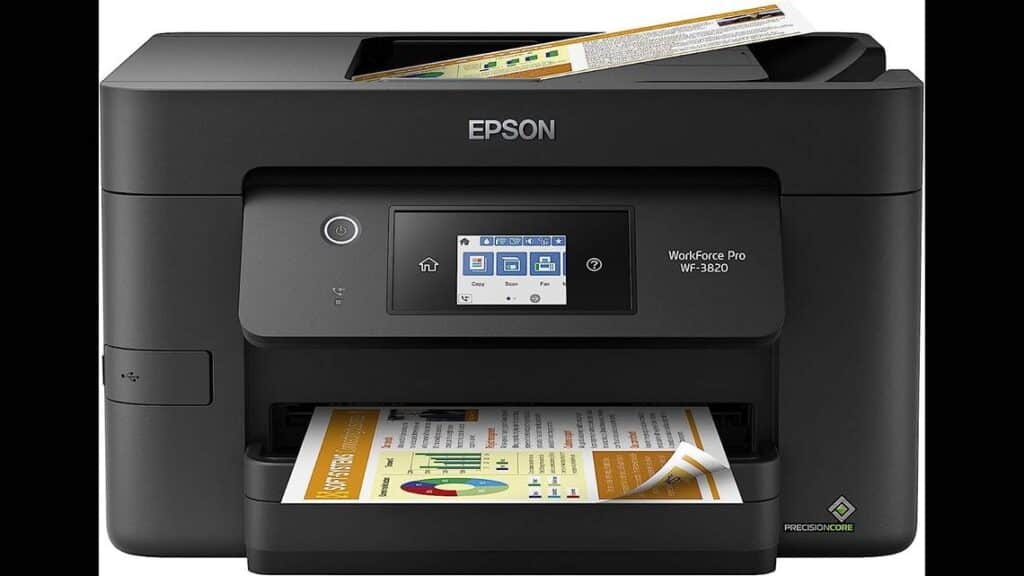
But If you want to give your home office all the tools it needs to succeed, Epson’s Workforce Pro WF-3820 Wireless Color Inkjet All-in-One Printer could be a better choice in the long run.
It can print color and black-and-white depending on your needs and at pretty reasonable speeds (11 and 21 pages per minute for color and black and white pages, respectively).
This all-in-one Inkjet printer works well thanks to proprietary PrecisionCore Heat-Free technology, which delivers high-volume printing without melting the ink. It’s a precise printer designed for maximum productivity with automatic two-sided printing.
The 250-sheet capacity paper tray also helps things, as does the 2.7-inch color touchscreen. Use the Epson Smart Panel App to enhance your productivity from the mobile device of your choice. It’s a convenient, effective, and efficient printer that can handle most common printing jobs without trouble.
Best for Hands-Free Printing: HP Color LaserJet Pro M255dw Wireless Laser Printer

The HP Color LaserJetPro M255dw Wireless Laser Printer is stellar if you appreciate hands-free or wireless printing without fiddling with any printer controls. Just set up the HP Smart app, and then you can print things from your mobile device of choice.
This printer makes it very easy to manage print jobs, print and scan documents on the go, and even receive notifications, all without having to be at the printer personally. You can save time using customizable shortcuts and have peace of mind with strong HP security, which can keep your small business data safe.
On top of that, the printer has other excellent values, like suitable toner cartridges, a 22-page-per-minute printing speed, and automatic two-sided printing. This LaserJet printer can work with many different paper types, so it’s also an excellent choice for home offices because it can print documents and whatever size or format you may need.
The Bottom Line
The best home printer for your household will depend on your budget and what you want the device to do. Color printers might be best if you want to print many photos, while black-and-white printers could be better for businesses that need to quickly churn out tons of documents.
Read through all the home printer selections above, then compare their specifications and prices. Ultimately, you can choose the ideal printer for your unique needs.
Sources: