Summer break is drawing to a close, which means now is the time to stock up on supplies for heading back to school. One great thing to have on hand for your classes is an external hard drive. These portable devices come in handy to keep your important files backed up — especially if your computer’s internal hard drive is getting full. With this in mind, we’ve scoured the online marketplace for the best external hard drives for back to school.
When shopping for an external hard drive, consider the following criteria:
- Storage Capacity: How much digital real estate are you getting? From terabytes to gigabytes, size matters when it comes to external hard drives.
- Transfer Speeds: USB 3.0, Thunderbolt 3 or USB Type-C? Speed is key for swift data movement.
- Durability: From the rugged LaCie to sleek SSDs, a hard drive’s build can be a game-changer.
- Compatibility: Whether you’re team Apple, team Windows or a console gamer, compatibility is crucial.
- Extra Features: Look out for password protection, backup software and warranty offers that add value.
Read on to find our top picks for external hard drives and why we love them.
Best Overall: Samsung External SSD T7

Key Specs
- 1TB capacity
- USB 3.2 Gen 2
- PCIe NVMe technology
- Solid aluminum construction
- Thermal control
- Multiple color options
The Samsung External SSD T7 combines speed, durability and style in a compact package, offering a top-notch solution for students seeking efficient and reliable portable storage.
Pros
Equipped with PCIe NVMe technology, the Samsung T7 boasts impressive read/write speeds, transforming data transfers into a rapid and seamless experience. Its rugged aluminum body withstands drops up to six feet, ensuring durability. Offering broad compatibility, including with the iPhone 15, and available in three colors, it’s a versatile choice for storage needs.
Cons
The T7’s Mac compatibility can be challenging, akin to solving a puzzle. Its software, particularly the password protection, is sometimes fickle and cumbersome. Transferring large files like a 350 GB collection may test your patience, and its cost, while reasonable, demands a balanced expectation.
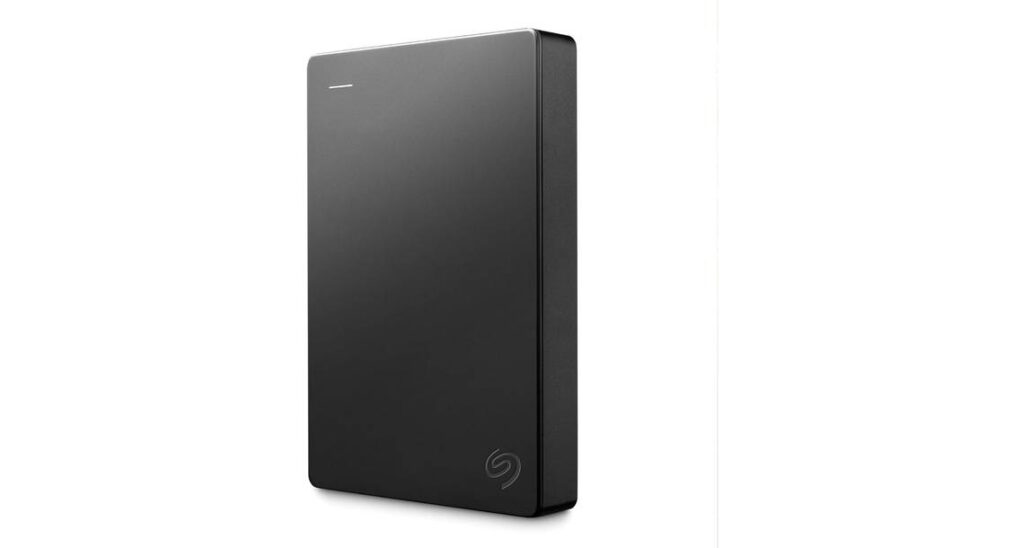
Best Budget-Friendly: Seagate Portable HDD
Key Specs
- 4 TB of storage
- USB 3.0
- Portable
- Compatible with Windows and Mac
The Seagate Portable HDD is an affordable, user-friendly choice for bulk storage. It’s ideal for those seeking a cost-effective solution for backing up large amounts of data.
Pros
At under $100, the Seagate Portable HDD is a budget-friendly gem, offering 4 TB of total storage space. Its plug-and-play design makes it easy to use, and the drive’s portable design — which does not need an external power source — makes it perfect for taking with you on the go. It’s the epitome of convenience and ease for occasional backups.
Cons
Despite its USB 3.0 interface, the Seagate HDD’s transfer speeds are more reminiscent of USB 2.0, lagging behind when moving large files. And because of its moving parts and sluggish pace, it’s less suitable for intensive, daily data transfers. These factors make it more of an occasional backup device rather than a primary storage solution.
Best for Easy Digital Storage: Western Digital Portable HDD

Key Specs
- 2 TB capacity
- USB 3.0 interface
- Portable
- Compatible with desktops
In the realm of digital storage, the Western Digital Portable HDD emerges as a compact yet mighty solution. This 2 TB storage maestro is your ticket to a clutter-free digital space, blending portability with efficiency.
Pros
The Western Digital Portable HDD shines as a space liberator for your digital clutter. Offering a generous 2 TB of storage capacity, it’s like having a personal vault for your ever-growing digital collection of assignments, term papers and more. The drive’s USB 3.0 interface ensures brisk data transfer speeds, making file management a breeze.
Simplicity and efficiency take the spotlight with this external hard drive. It’s plug-and-play, so it’ll seamlessly integrate with your Windows operating system. Plus, its sleek and portable design means it’s always travel-ready, ideal for on-the-move students or those with hefty storage needs.
Cons
The Western Digital Portable HDD isn’t without its quirks. Its delicate build demands careful handling — a slip could be catastrophic for your data. It handles everyday media files well, but don’t expect it to be a powerhouse for heavy-duty tasks like high-end gaming. While its transfer speeds are reasonable, they might test the patience of high-speed aficionados.
Best for On-the-Go: Toshiba Canvio Basics Portable Hard Drive

Key Specs
- 1 TB capacity
- USB 3.0
- 2.5-inch mechanical hard disk
Meet the Toshiba Canvio Basics Portable Hard Drive, a sleek, smudge-resistant companion for your on-the-go storage needs. This 1 TB dynamo offers not just storage but a stylish, practical solution for your data.
Pros
The Toshiba Canvio Basics is a no-fuss, ready-to-go champion. Its out-of-the-box usability is a boon for those who prefer simplicity. With 1 TB of storage, it’s like a digital vault ready to secure your files. Its USB 3.0 compatibility ensures steady transfer speeds, making it a dependable choice for the road. It’s versatile, too, playing well with desktops and pre-formatted for NTFS, saving Windows users an extra setup step.
Cons
The Canvio Basics has a few minor limitations. Transferring large files might test your patience, as its speeds don’t quite match those of solid-state drives, and Mac users will need to invest some time in reformatting. While it’s a budget-friendly pick, remember that the price can reflect the performance with external hard drives. It’s great for convenience and compatibility, but those seeking top-tier speed might find it slightly lacking.
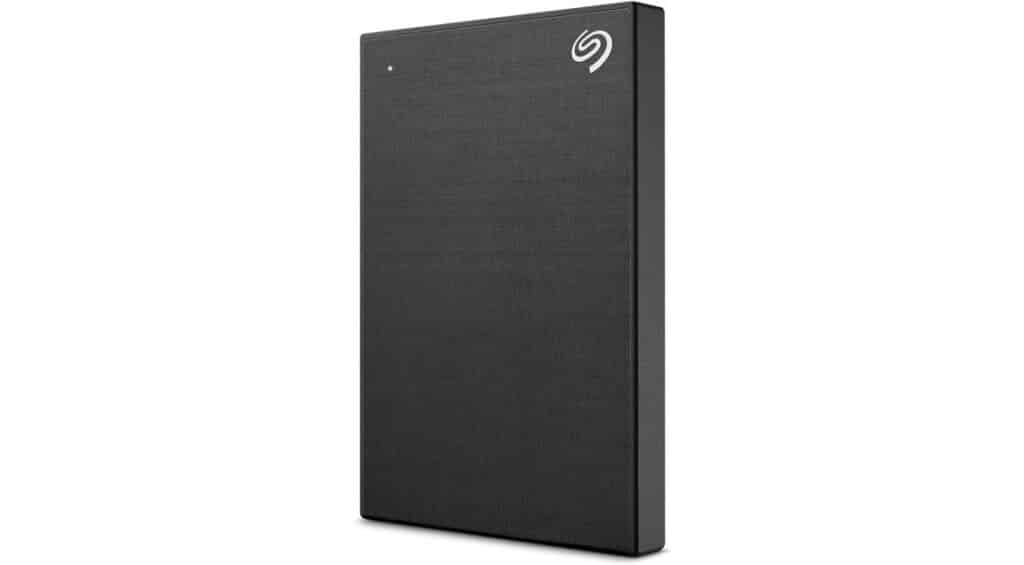
Best Streamlined: Seagate One Touch Portable Hard Drive
Key Specs
- 2 TB capacity
- USB 3.0 interface
- Compatible with Windows, Mac and Chromebook
The Seagate One Touch Portable Hard Drive is a sleek, 2 TB powerhouse that blends style with high-efficiency storage. It’s compatible across various platforms including Windows, Mac and Chromebook.
Pros
This Seagate gem shines with its ample 2 TB storage, and thanks to the USB 3.0 interface, speedy data transfer is its middle name. It’s a tech chameleon, adapting smoothly to Windows, Mac or Chromebook, and its password protection feature enhances data security. It also comes with some bonus perks, including a Mylio Photos subscription and a Dropbox Backup Plan trial, making it a great choice for art or graphic design students.
Cons
USB-C computer users might frown at needing an adapter for USB Type-A. Additionally, its transfer speed is impressive but not exactly top-tier, peaking around 500Mbps.
Best for Durability: LaCie Rugged External HDD

Key Specs
- 2 TB capacity
- USB 3.0 connectivity
- 3.5-inch hard disk form factor
The LaCie Rugged External HDD is a resilient 2 TB storage champion built to endure life’s knocks. Ideal for the thrill-seekers and the spill-prone, this external hard drive is shock-, dust- and water-resistant.
Pros
Tailor-made for the rugged (and the clumsy), this HDD endures a 4-foot drop with ease. Its 2 TB capacity is like an endless digital vault. Supercharged with USB 3.0 connectivity, it makes data transfer a breeze.
Cons
LaCie uses only a USB-C cable, leaving non-USB-C users in the lurch. Mac users also face the extra chore of reformatting.
Best for High-Capacity Storage: Western Digital Elements External Hard Drive

Key Specs
- 14 TB of storage
- USB 2.0/3.0 connectivity
- 3.5-inch mechanical hard disk
Step into the realm of mammoth storage with the Western Digital Elements External Hard Drive. It’s not just big — it’s colossal, offering a 14 TB haven for your digital world.
Pros
Equipped with 14 TB of storage, this Western Digital external hard drive is a true digital titan that ensures your storage needs are more than met. It’s like having a vast library where your digital collection resides in harmony. Simple yet effective, its plug-and-play design is a breeze to use with Windows PCs. Its USB 2.0/3.0 compatibility translates to brisk data transfers, saving you from long wait times.
Cons
This product is not without a few drawbacks. Some might notice a slight delay when accessing files — a brief pause before springing into action. While it’s not a major setback, it can be a mild nuisance for some. With it being a mechanical hard disk, don’t expect lightning-fast file retrievals. It’s also on the pricier side — but considering the storage space and trustworthiness, we think it’s a good investment for students.
Best for High-Speed File Transfers: SanDisk Portable SSD

Key Specs
- 1 TB capacity
- USB 3.2 interface
- Solid state drive
- Two-meter drop protection
The SanDisk Portable SSD is your go-to for a swift and sturdy storage solution. It’s also compact enough to fit in your purse or pocket for life on the move.
Pros
The SanDisk Portable SSD shines with its solid-state prowess, boasting up to 800MB/s read speeds — a true speed demon for file access and transfers. Its compact design is nothing short of brilliant, and it’s small enough to fit snugly in your pocket or bookbag. Despite its plastic exterior, it’s surprisingly light and travel-friendly.
The two-meter drop protection adds a layer of toughness, perfect for those “oops” moments. And, since it’s made by the trusted SanDisk brand, you know you’re getting a reliable storage device.
Cons
The plastic build of this external hard drive might make you question its longevity. Despite its drop protection, it’s not invincible to frequent tumbles. The lack of encryption capabilities could also be a stumbling block for those seeking a fortress for their sensitive data.
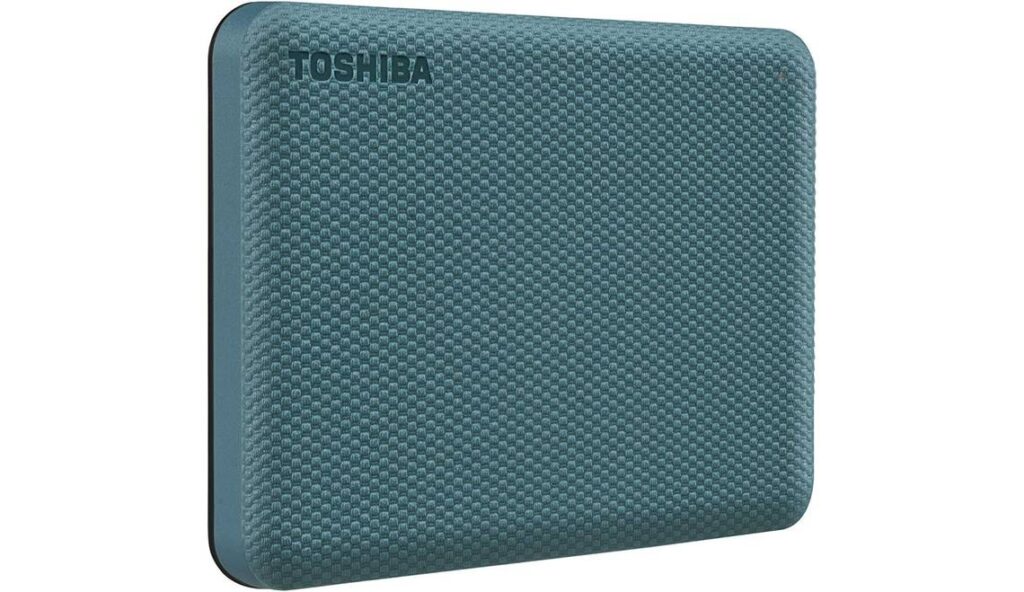
Best for Secure Storage: Toshiba Canvio Advance Portable Hard Drive
Key Specs
- 2 TB capacity
- USB 3.0 and 2.0 compatibility
- Textured exterior for a tactile feel
- Multiple color options
The Toshiba Canvio Advance isn’t just a hard drive — it’s a style icon in the tech world. It sports an appealing encasement with a nice textured finish, and it’s available in multiple colors.
Pros
Boasting a 2 TB storage capacity, this hard drive is like your file’s spacious home. The USB 3.0 ensures rapid data transfers, shortening your wait time significantly. It’s compatible with both PC and Mac, adding an element of versatility. Plus, the Windows-exclusive backup software and password protection act as your data’s guardians.
Cons
Its backup software, though functional, lacks a certain finesse. The USB 3.0 connector, effective as it is, feels a tad outdated. Also, hunting down the software link might be a journey for the less tech-inclined.
Best for Gaming: Maxone Ultra Slim Portable HDD

Key Specs
- 500 GB capacity
- USB 3.0
- 2.5-inch form factor
- Compatible with PC, Mac, PS4 and Xbox One
The Maxone Ultra Slim Portable HDD boasts durability and efficient heat management, making it a sleek powerhouse perfect for gamers and design lovers.
Pros
This hard disk drive boasts a profile that’s both ultra-slim and tough, thanks to its anti-scratch, all-aluminum body. It’s a gamer’s ally, smoothly integrating with PS4 and Xbox One. Its USB 3.0 tech equates to super-fast transfers, and its plug-and-play setup is as hassle-free as it gets. Plus, it’s versatile across Windows and Mac OS.
Cons
Some users may hit a snag with Xbox game storage. Thankfully, it’s fixable by reformatting in Xbox settings. For 500 GB, its price tag may raise eyebrows — but for those valuing style and speed in their gaming gear, it’s a worthy investment.
Best Portable: UnionSine Ultra Slim Portable HDD

Key Specs
- 500 GB of storage
- USB 3.0
- Compatible with multiple devices
- Ultra-thin design
- Three-year warranty
Blending sleek design with impressive functionality, the UnionSine Ultra Slim Portable HDD is your ultimate partner in portable, high-speed data storage.
Pros
The UnionSine Ultra Slim HDD is a marvel in storage efficiency, boasting 500 GB capacity and USB 3.0 for rapid data transfer. Its universal compatibility, from PlayStation to Mac, enhances its versatility. An ultra-thin profile and cool operation complement its functionality, and a three-year warranty adds reliability.
Cons
The UnionSine hesitates slightly with large files, a minor setback for speed enthusiasts.
The Bottom Line
An external hard drive is more than just a storage solution; it’s a vital companion for your digital life. From the high-speed Samsung T7 SSD to the budget-friendly UnionSine, each external hard drive on our list makes an excellent pick for students and back-to-school shoppers.
Sources: