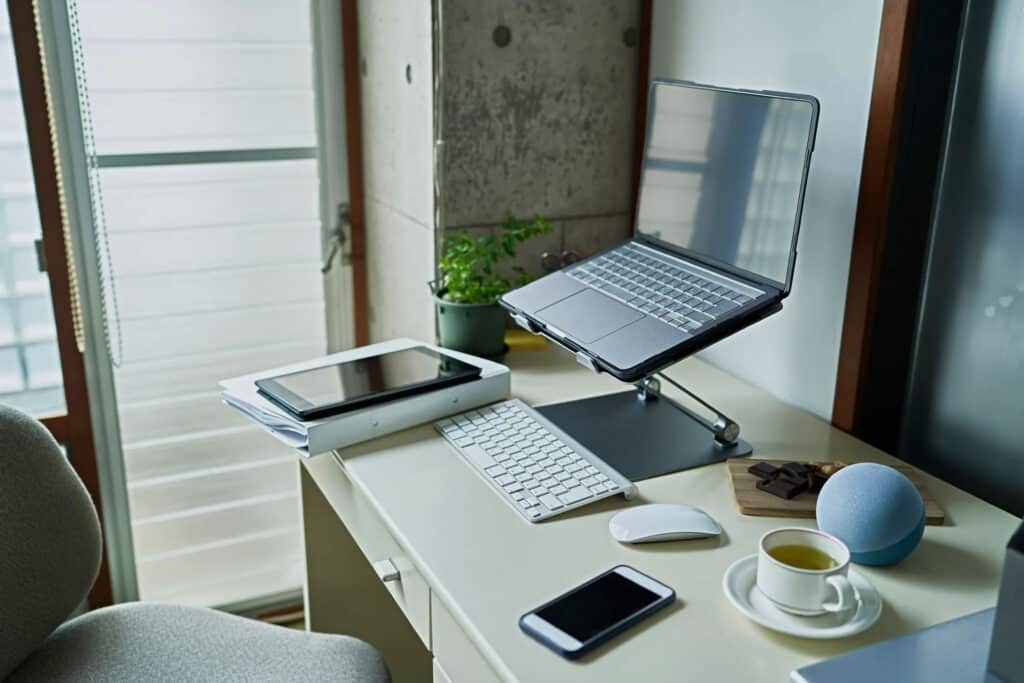

With school just around the corner, it’s time to stock up on key items, and few items are as important as the right computer. From taking notes to writing papers, attending online classes and working on educational apps, computers are as indispensable as ever. But what’s the best computer for kids?
To answer that question, we reviewed devices of all types, from high-powered laptops to durable tablets to two-in-one models that function as both. Our list of the best back-to-school computers for kids features something for everyone, whether you’re on a budget, need a device with parental controls or are seeking a sturdy machine that can stand up to a little roughhousing.
The Best Back to School Computers for Kids of 2024
- Best Overall: Acer Aspire 3
- Best Budget: ASUS 14” Laptop
- Best Splurge: Macbook Air 13-Inch
- Best Chromebook: Acer Chromebook Spin
- Best for Versatility: HP Pavilion
- Best Compact: Lenovo 11.6” Chromebook
- Best Tablet: Amazon Fire
Best Overall: Acer Aspire 3
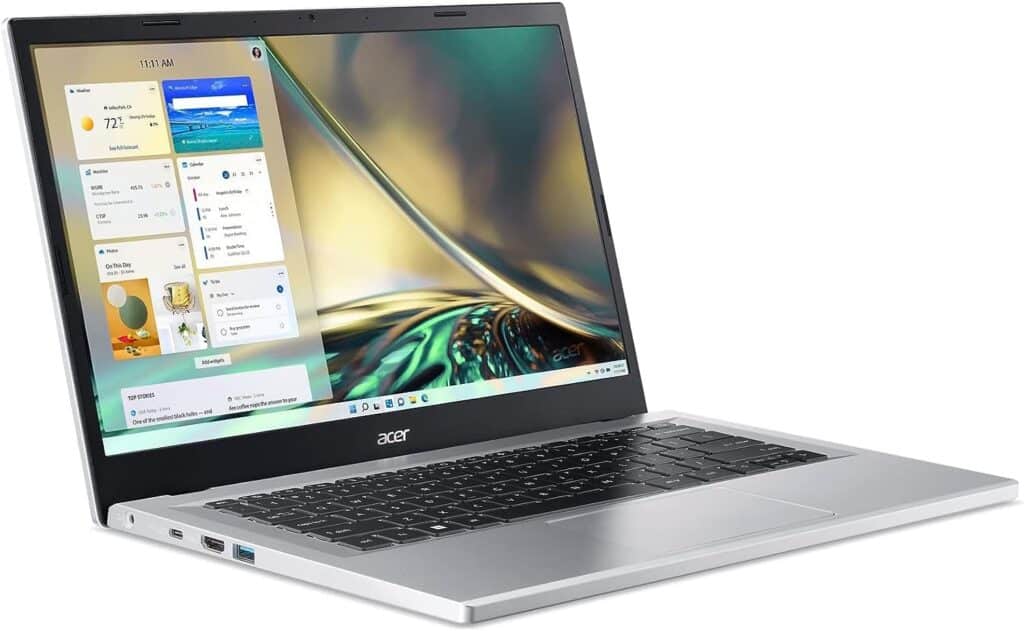
Key Specs
- Screen Size: 14 inches
- Storage Space: 512GB
- RAM: 8GB
Pros and Cons
Pros:
- Strong 10-hour battery life
- Excellent display and camera
- Wi-Fi 6 wireless capabilities
Cons:
- Not the best for heavy gaming
- More powerful RAM costs extra
Why We Chose It
For enough processing power to handle everyday tasks, plus portability and long battery life, we found the Aspire 3 was the best laptop computer for kids. Equipped with a 14” high-quality IHD display and a front-facing camera with noise reduction, this is a computer that provides strong image quality, and its 512GB hard drive provides plenty of room to save files and apps.
The Aspire 3 weighs in at just over three pounds, making it light enough for all ages to carry, and its Ryzen 5 processor can take on school tasks just as well as games and video streaming. In short, if you need a machine that’ll do a bit of everything, and do it well, we recommend the Aspire 3.
Best Budget: ASUS 14” Laptop
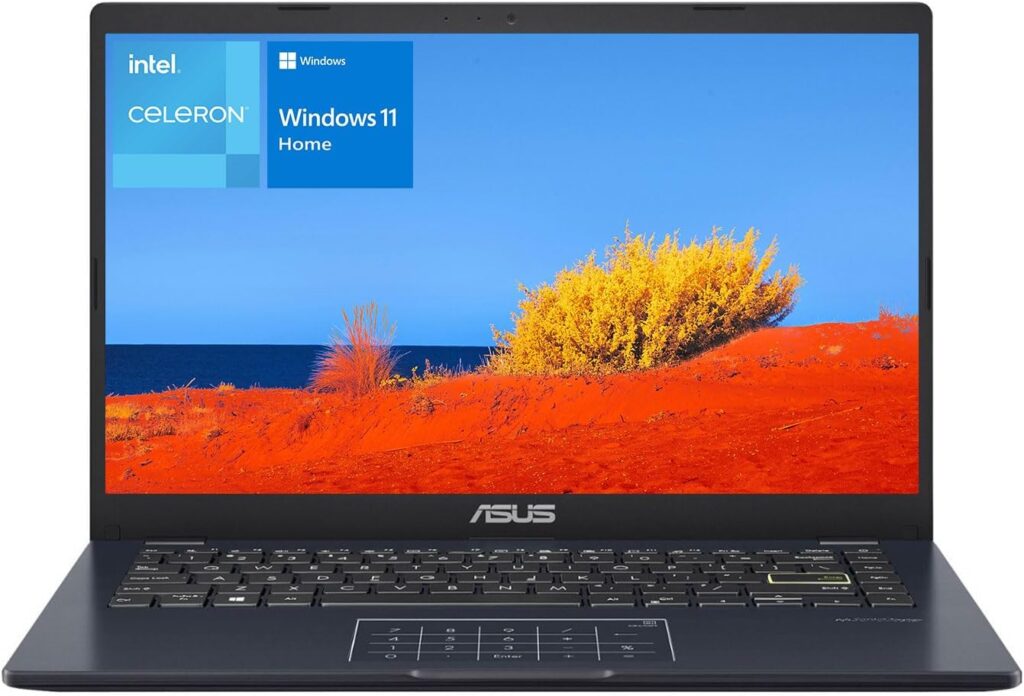
Key Specs
- Screen Size: 14 inches
- Storage Space: 64GB
- RAM: 4GB
Pros and Cons
Pros:
- 180-degree swiveling screen
- Intel Celeron processor provides solid performance
- Large numerical touchpad
Cons:
- Not much RAM and memory storage
Why We Chose It
Asus is known for its value-priced computers, and its generously sized 14” laptop gives kids solid computing performance at a reasonable cost. Though it doesn’t have an overwhelming amount of memory, its plethora of USB 2.0 and 3.2 ports make it easy to plug in external hard drives. We also gave a high grade to its Lumina OLED display, which provides good brightness and a generous 16:10 aspect ratio on a 180-degree hinge.
With pre-installed Windows 11 software, the Asus is ready to go right out of the box, and the numeric touch keypad is handy for math calculations as well as just mousing around. You may find computers with more robust processors and features on our list, but the Asus gets our nod for most bang for the buck.
Best Splurge: Macbook Air 13-Inch
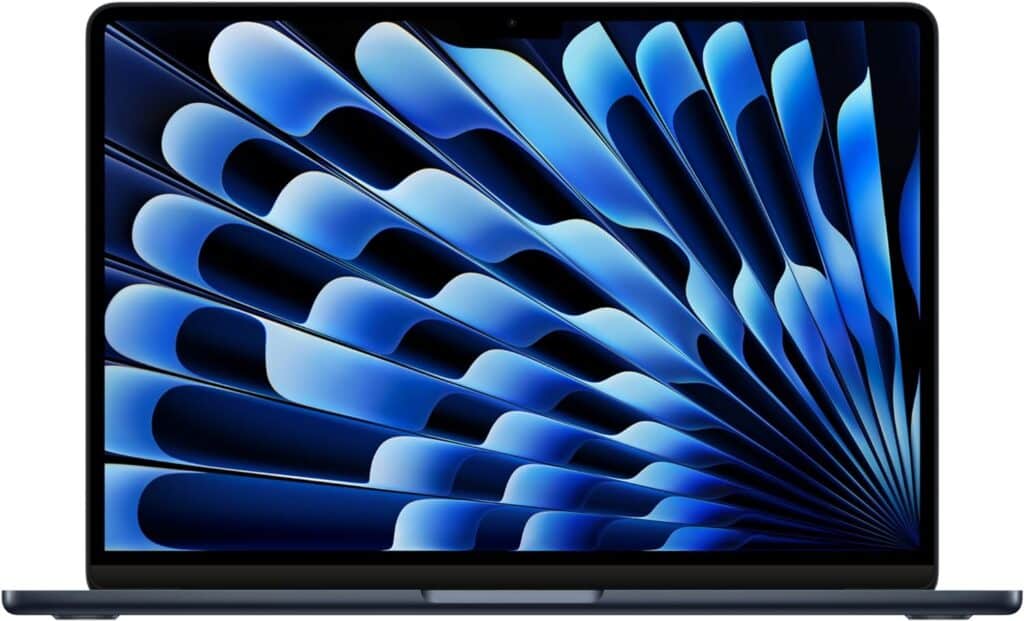
Key Specs
- Screen Size: 13.6 inches
- Storage Space: 256GB
- RAM: 8GB
Pros and Cons
Pros:
- Superb display quality
- 18-hour battery life
- Lightweight but solid build
Cons:
- Pricier than other computers on our list
Why We Chose It
If you’re in the mood to give your kid the very best and don’t mind spending some coin to get it, the ever-reliable Apple Macbook Air is a good way to go. Its base model offers a more-than-respectable 8GB of RAM and 256GB of storage space, and the Liquid Retina display and 18-hour battery life are tops for laptops.
At an ultra-thin .44 inches high and a light 2.7 pounds, the Macbook Air is one of the most portable laptops on our list. Plus, Apple’s M3 chip provides all the power you need for any task, from video editing to internet browsing. Apple devices do come with a higher price tag, but if you have the budget for a high-end, high-quality computer, you can’t go wrong with the Airbook.
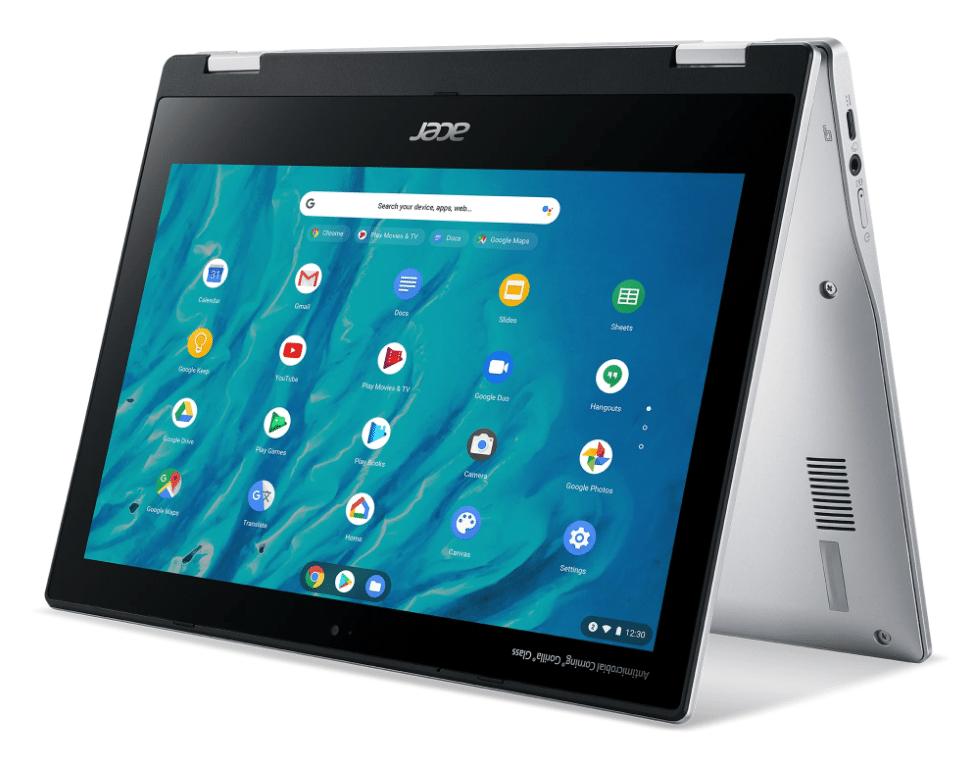
Best Chromebook: Acer Chromebook Spin
Key Specs
- Screen Size: 14 inches
- Storage Space: 32GB
- RAM: 4GB
Pros and Cons
Pros:
- Excellent option for Google apps and internet browsing
- Versatile computer-tablet combo
- Solid battery life
Cons:
- Not the best option if you need non-Google apps
- Limited storage and RAM
Why We Chose It
If you’re stuck on whether to get a laptop or tablet, why not get a little of both? The Chromebook Spin can transform from a laptop to a tablet with a flip of its display, and its 10-hour battery can get you through the school day without a sweat. With access to apps like Chrome and Google Docs, the Acer is ideal for kids taking classes utilizing Google tools.
This computer is a bit limited when it comes to onboard memory, and if you need a device that can handle Windows apps, the Chromebook might not be the best fit. But for a reliable, Google-based device that’s durable and gets the job done, we found a lot to like about the Chromebook Spin.
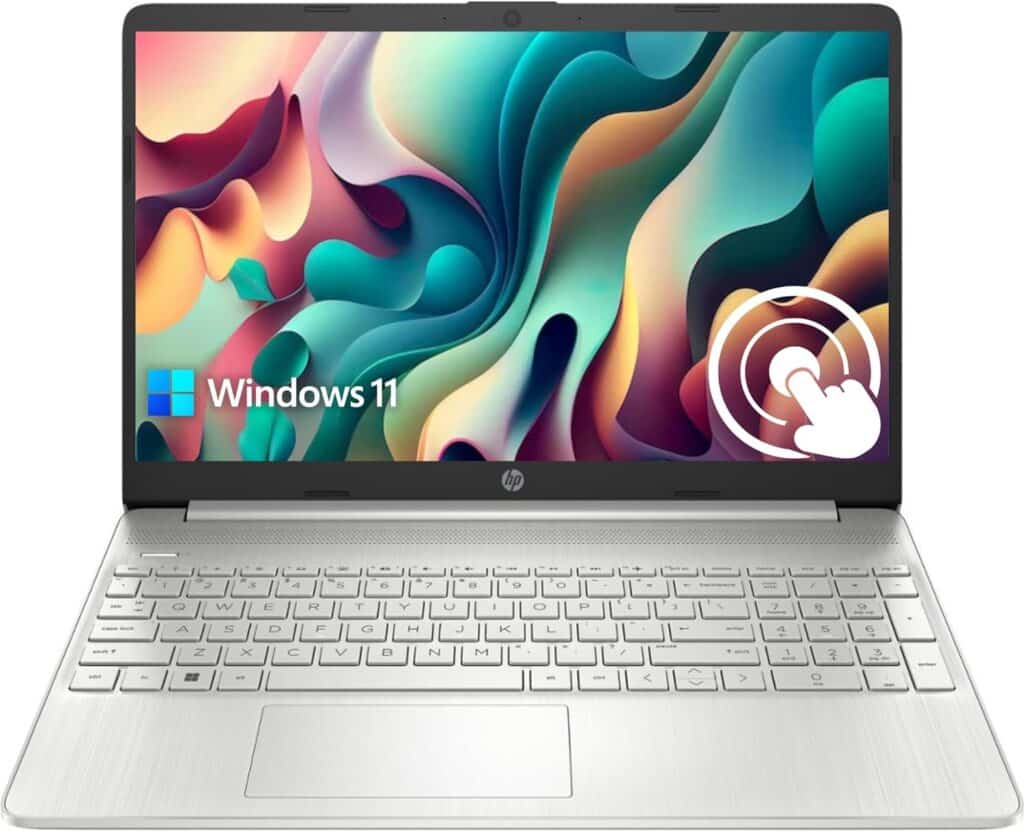
Best for Versatility: HP Pavilion
Key Specs
- Screen Size: 14 inches
- Storage Space: 1TB
- RAM: 16GB
Pros and Cons
Pros:
- Generous RAM and internal storage
- Handy touchscreen
- Fast processor
Cons:
- A bit pricey compared to other models on the list
- Only 8 hours of battery life
Why We Chose It
Speaking of versatility, the HP Pavilion features a useful touchscreen display, and its processing power and speed rate highly compared to other laptops on this list. Whether you’re looking to play games that require strong computer processing power or handle a variety of school-related tasks, the Pavilion has plenty of juice to accommodate your needs.
The Pavilion’s 15.6-inch display makes for spacious viewing, and while its battery doesn’t last as long as we’d like, we appreciated its fast-charge capabilities, which allow you to charge the battery from zero to 50 percent in half an hour. With a large amount of built-in storage space and its 12th-generation Intel processor, the Pavilion can take on just about any task with speed and style.
Best Compact: Lenovo 11.6” Chromebook

Key Specs
- Screen Size: 11.6 inches
- Storage Space: 32GB
- RAM: 4GB
Pros and Cons
Pros:
- 2-in-1 capability
- Durable construction
- 10-hour battery life
Cons:
- Lacking on internal storage
- Lackluster display
Why We Chose It
Sometimes big isn’t as beautiful as small — especially if you need a computer that you can stow away in a mini-backpack or carrying sleeve. We’ve always been partial to Lenovo’s computers because they’re sturdy, and the compact Lenovo Chromebook holds up to the brand’s reputation. With the ability to use this computer as a laptop or tablet, the Lenovo offers flexibility at a great price, especially if you get a refurbished model.
This Chromebook’s “life-proof” shell is built to take a licking, which is handy if you have children who might be a bit rambunctious with their belongings. And although the internal memory doesn’t have as much capacity as other models on this list, the Lenovo is an attractive option if durability and portability are at the top of your priority list.
Best Tablet: Amazon Fire HD 8 Kids Pro

Key Specs
- Screen Size: 8 inches
- Storage Space: 32GB
- RAM: 2GB
Pros and Cons
Pros:
- Access to education apps through Amazon Kids+
- Easy-to-use parental controls
- Solid performance for a tablet
Cons:
- Could use more internal storage
- Lackluster display
Why We Chose It
You’ll find more recent Amazon Fire models on the market, but for the perfect mix of value and functionality, we went with the 2022 version of Amazon’s Fire HD tablet. This slim, well-built model offers a bunch of useful features, including parental controls, access to a wide range of educational apps and 13 hours of battery life, while its hexa-core processor has more oomph than most tablets in its price range.
With expandable storage (up to 1GB) and durable casing, the Fire is built to last and grow with your child. If you’re looking for a computer with high processing speed and a greater variety of work apps, you’ll find the Fire HD 8 has its limitations, but if you’re looking for the convenience and simplicity of a tablet with useful apps for the kids, it’s a great pick.
Bottom Line
For all-around performance and value, our pick for the best computer for kids was the Acer Aspire 3. If you’re pinching pennies, the ASUS 14-inch laptop provides solid performance at a bargain price. The Macbook Air is a powerful tool for graphics, video and audio, while kids who depend on Google apps for daily work will find the Acer Chromebook Spin and Lenovo 11.6-inch Chromebook right up their alley. If simplicity and portability are prime concerns, the Amazon Fire tablet features useful education apps and parental controls in a compact package.
Frequently Asked Questions
What is a good age for a child to get a computer?
As you might expect, opinions are divided on this question. According to a survey by PC Magazine, most parents feel comfortable getting their kids on a computer at around the ages of 12-15, although a notable portion of those surveyed said they were okay with their kids starting on laptops in the 9-11 range. If you’re considering a laptop for your child, start at an age in which you think your child is ready for a “controlled exposure” approach, in which the computer is used mainly for educational purposes and daily time on the computer is limited.
What’s the difference between a laptop and a Chromebook?
A Chromebook is a laptop that runs on Google apps, such as Chrome, Google Docs and Google Sheets. If your kid is taking classes that rely on these apps, a Chromebook can be a great option. Chromebooks also tend to be cheaper than other laptops.
However, they do come with limitations; since many Chromebook apps rely on cloud storage, they’re not the most convenient computer to use if you’re offline. If you want the convenience and additional functionality that comes with using Windows apps such as Microsoft Office, or a laptop with top-notch visual and audio capabilities, such as an Apple Macbook, you may want to consider other laptops.
Which is better: Apple computers or Windows computers?
Whether you prefer Apple or Windows will depend on what you plan to use the computer for. Apple computers are known for their superior displays and multimedia capabilities, so if your child is keen on diving into areas such as video and audio production, or needs a computer for classes that are heavy on graphic design, Apple would be our first choice.
On the other hand, if your child needs a computer that can easily organize large numbers of files, or will be spending a lot of time writing papers and working with data, a computer equipped with Windows apps is a better option. Apple computers also tend to be more expensive than Windows computers, so if price plays a role in your decision, Windows machines make for the best laptops for kids.
Methodology
In determining which devices deserved to be on our list of best back-to-school computers for kids, we looked at:
- Durability: We placed weight on laptops and tablets that could withstand daily wear and tear.
- Performance: Computers with updated processors and substantial RAM provide faster performance and the ability to multitask (i.e., having a bunch of tabs open in your Internet browser without affecting your computer speed).
- Screen Size: Let’s face it — a large, vibrant display is a hit with all ages, so we looked for devices that had generous, super high-definition screens.
- Battery Life: A computer with enough juice to make it through a whole day of classes without requiring a charge was a must.
- Upgradability: Computers gain extra value when it’s easy to upgrade their capabilities. We gave high marks to computers with the latest USB ports, as this allows fast file transfer speeds for external devices such as hard drives.
- Bang for the Buck: Not all of the computers on this list are cheap, but we sought out models that are worth their price tag, from the top-end Apple Macbook Air to the budget Asus laptop.
Sources
Marvin R. “How old should kids be when they get their own digital devices?” PCMAG.
Patel L. “When should your child first meet a computer?” Tynker Blog.